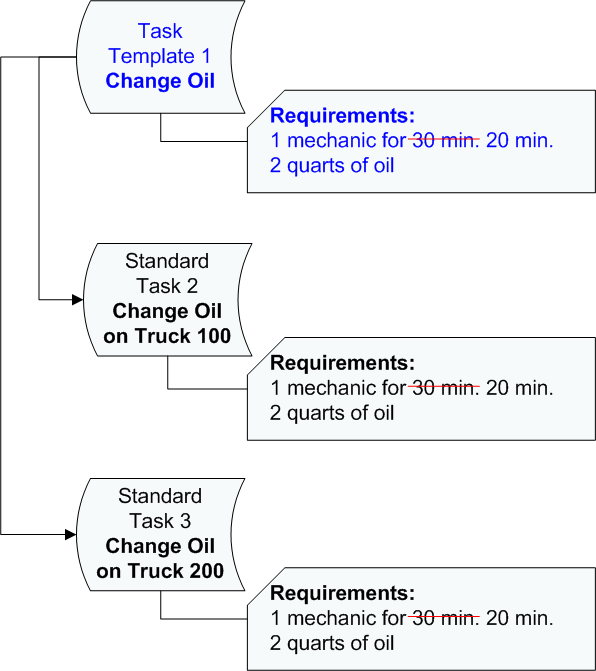
Concepts Tasks Settings Using Task Templates Contents Viewing Standard Tasks Created From Task Templates Viewing Audit History for a Standard Task Reviewing Changes Applied to a Standard Task from a Task Template Reviewing and Removing Overrides on a Standard Task Removing the Link Between a Standard Task and Template Changing the Link Between a Task Template and a Standard Task The topics in this section explain how to use task templates to keep standard tasks up to date. Task templates provide an easy method of maintaining a number of standard tasks. When you change the definition of the task template, APM can apply the change to the standard tasks based on the task template. This not only simplifies the maintenance of standard tasks, it also ensures that all of the standard tasks are updated. Using the change oil task template as an example, assume that when the task template was first defined it was estimated to take 30 minutes to change the oil on a truck. Over time, it is noticed that it is only taking 20 minutes to change the oil. You can change the task template resource requirement to reflect the new standard time of 20 minutes. The new value is applied to all of the change oil standard tasks that are based on the task template. This example is shown below: