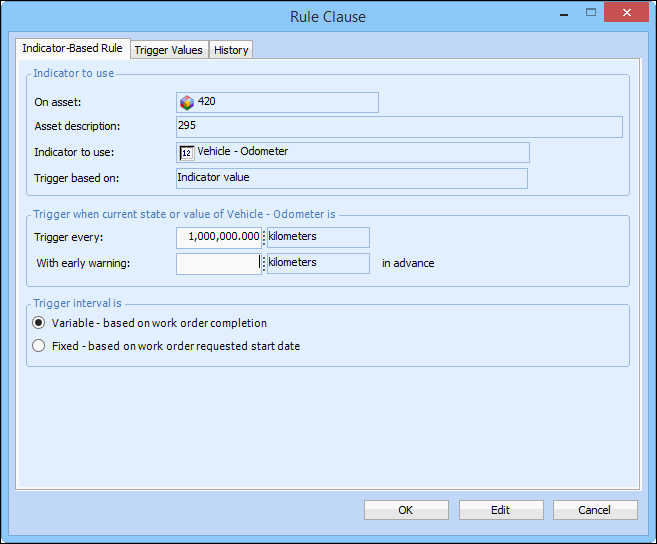
Concepts Tasks Settings Adding an Early Warning Clause to a Triggering Rule You can have APM warn you when a standard job will be triggered soon by adding early warning information to the rule clauses. You can add early warning information to time-based rule clauses, as well as to rule clauses based on cumulative asset indicators. To Add Early Warning Clauses to a Triggering Rule 1. Open the standard job. 2. Make sure that editing is enabled. 3. Select the Triggering tab. 4. Select Trigger on early warning. 5. Open the rule clause you want to add early warning to. The Rule Clause dialog appears. For example: 6. Enter the early warning time or amount in the With early warning box. Click OK. 7. Repeat steps 5 and 6 for each rule clause that you want to change. 8. When you are finished, save and close the standard job.



 is enabled.