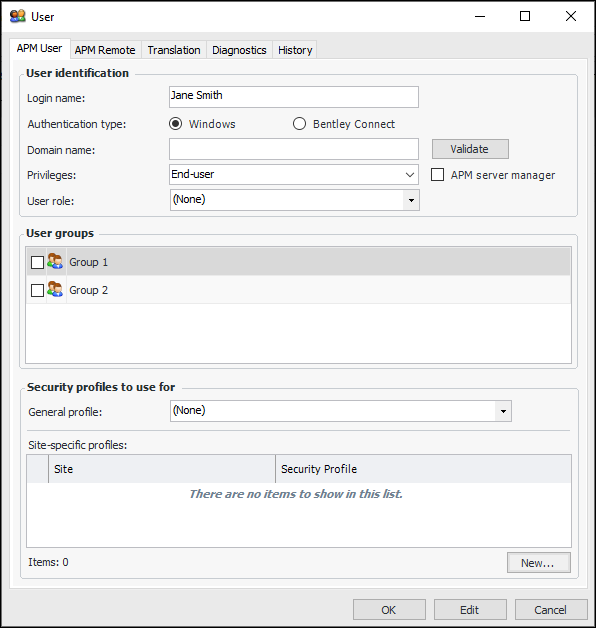
Tasks Assigning Roles to APM Users User roles determine the views and workflows that users are authorized to access in APM sites. A workflow is a wizard designed to guide the user through the progressive steps required to complete the task at hand and to provide information relevant to the step being performed. For example, a user assigned the role of Inspector uses workflows to create inspection plans, execute inspection plans, and report on inspection results. This topic explains how to assign a role to a user record in APM. To Assign a Role to a User 1. From the Site window, click on the tool bar. The Enterprise window appears. 2. In the Enterprise window, select the Security view, the Users tab, and then the Users tab. 3. Double-click the user to open the User dialog. 4. Click Edit. For example: 5. In the User role list, select the role. 6. Click OK to save your changes and close the dialog. Be sure to package and deploy the server/service instance to make changes available to smart client users. The next time that the user logs on to an APM client, the views and workflows selected in the user role will be available in the Site window.


 on the tool bar. The Enterprise window appears.