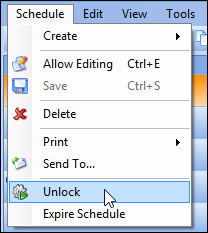
Concepts Tasks Settings Unlocking a Schedule After you have finished adding tasks to a schedule, you can lock it. You can unlock locked schedules at any time. To Unlock a Schedule 1. Open the schedule that you want to unlock. 2. From the Schedule menu, select Unlock. APM unlocks the schedule. 3. You can now add tasks to the schedule as usual.