What’s New in APM 7.23

Among other enhancements, APM 7.23 introduces implementation assistants that make it easier to set up selected functionality, for example, degradation tracking. You will also find improvements to asset management, inspection management, AssetWise Enterprise Interoperability (AWEIS) functionality, and more.

Contents

Asset Management
AWEIS – Generate Requests for Work from Checksheets
AWEIS – Solution Packages on Standard Tasks
AWEIS – Safety Critical and Planner Group
Data Loaders
Implementation Assistants
Inspection Management – Platform Topside Inspection Subtype
Performance and Stability Enhancements
Strategy Development Analysis – Inspection Strategy Consolidation
User Interface – Welcome Messages

Asset Management

The following enhancements were made to asset management.

View Assets by Specification and Asset Type on Site

It is now possible to view all of the assets for an asset type, as well as their specification values. You can search for assets according to specification attribute. And you can use the Replace Column Data feature to change multiple assets at the same time. See Applying Mass Updates.
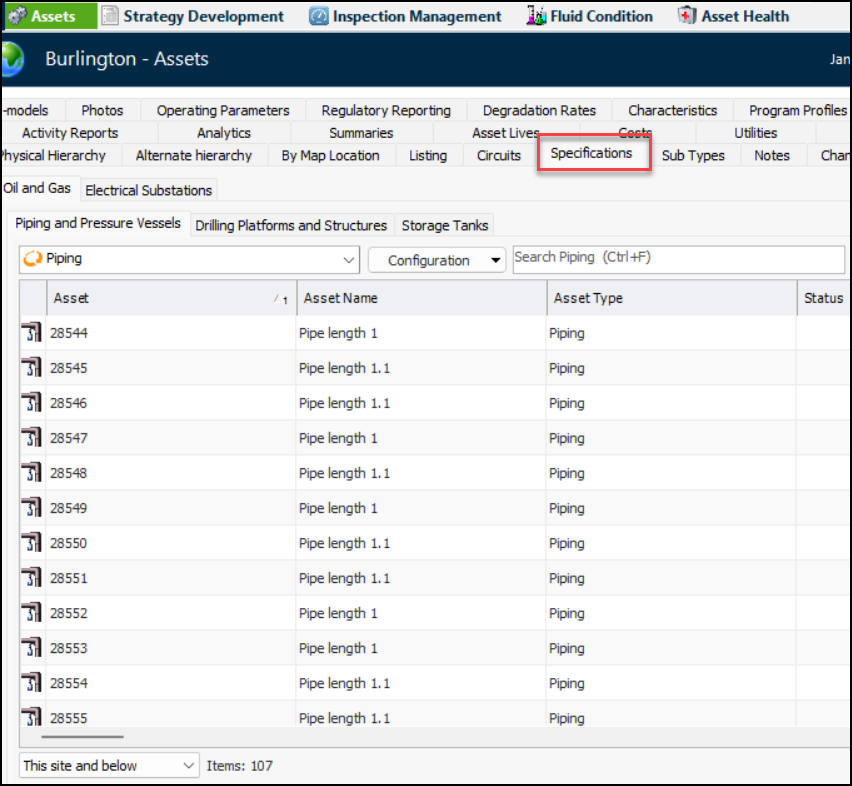
In the Site window, select the Assets view and the Specifications tab. For example:
Each type of specification used by your organization is represented by a tab, for example, Oil and Gas and Electrical Substations.
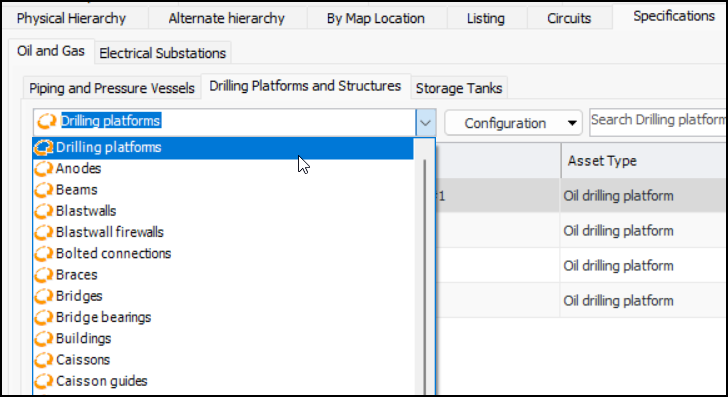
You can refine the lists by selecting an asset type from the configuration list. For example:
In this example, the table lists drilling platforms and displays columns for each of the attributes, for example, Inside diameter and Outside diameter.

Oil and Gas Asset Specifications

Asset specifications have been added to support topside platform asset types. The following asset types are new and include attributes and Specifications panels. Note that their names are prefixed by “Platform”, as in “Platform beam,” in the product.
The following existing asset types have new attributes:

Electrical Substation Specifications

The asset types Shunt Reactor and Series Reactor have a new attribute: Oil Preservation System Type. You will find this property on Asset specifications, Construction forms, and Asset change request windows. The addition has been made in both APM and APM Remote.

AWEIS – Generate Requests for Work from Checksheets

Requests for work can be created from checksheets, as long as the checksheet status allows it. With this release, you can have requests for work generated automatically on a regular basis. Set up the Generate Checksheet Requests for Work scheduled action. You can set the triggering horizon in the Site Interoperability Profile. For more information, see:

AWEIS – Solution Packages on Standard Tasks

Solution package information has been added to standard tasks so that solution package values can be identified on requests for work generated from checksheets. The request for work is then used to trigger the correct solution package in the CMMS. For example, with SAP, the correct task list can be used to generate a maintenance order.
Note: Support for solution package information on standard tasks is available for preview. You must first enable feature 119 to use the functionality in APM. In the Enterprise window, select the Features view and the Enabled Features tab. Click Browse, select “Solution package identification on standard task” and click OK. If APM is running as a smart client, click Refresh Enabled Features on the server. Then restart the client to use the functionality.
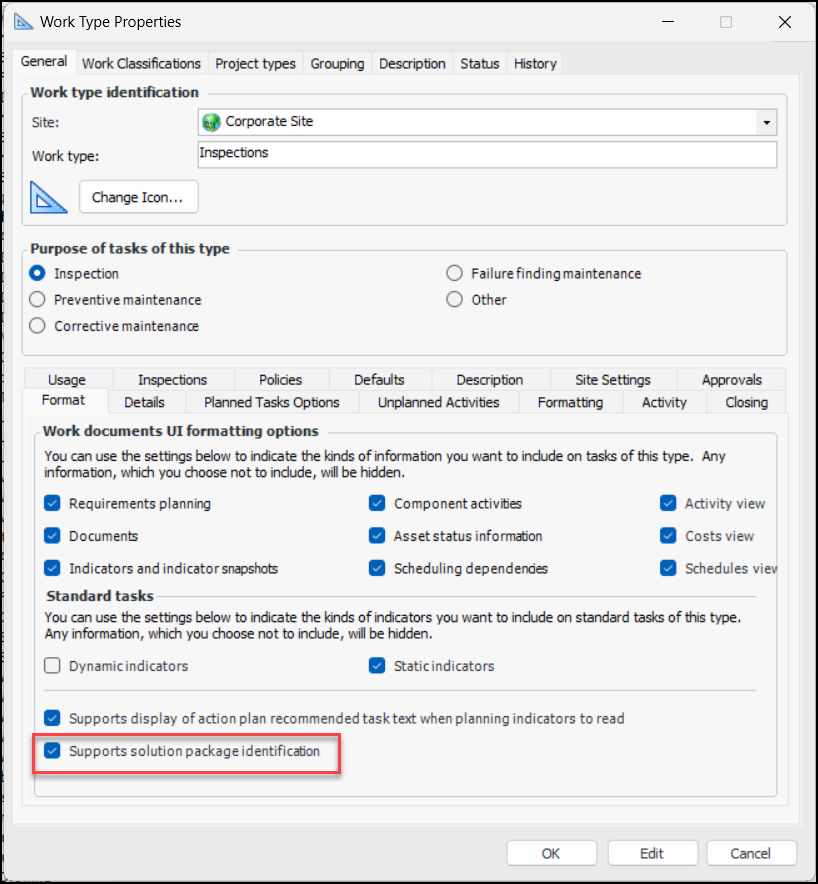
The standard task’s work type determines if solution package information is supported on the task:
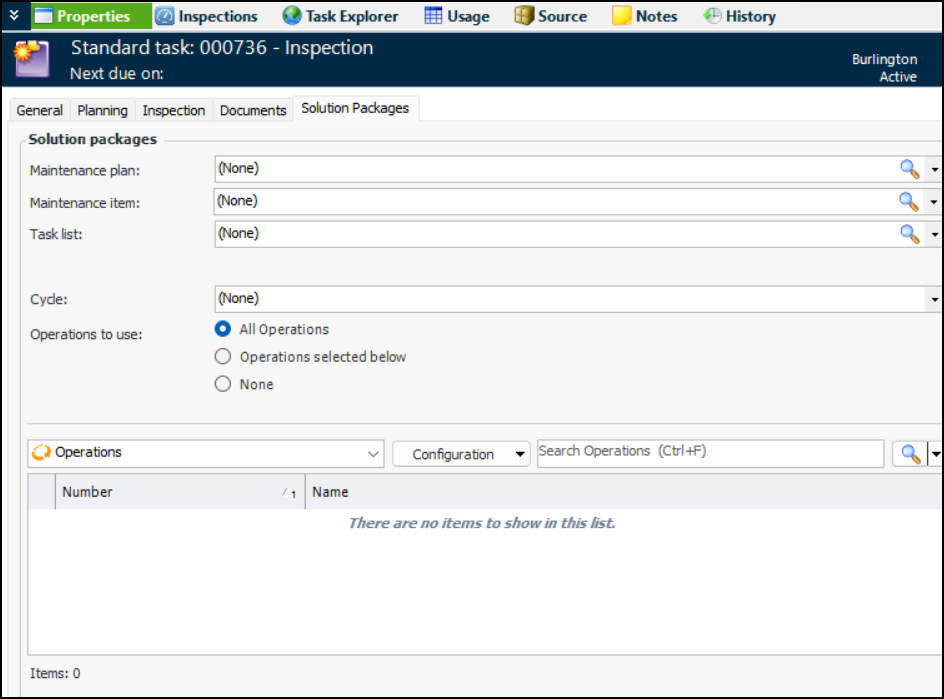
When it is supported, the Solution Packages tab appears in the Standard Task window, Properties view.
The names and relationships of solution package levels are set up in the Site Interoperability Profile. In this standard task, three levels have been defined: Maintenance plan, Maintenance item, and Task list. Steps have been defined as Operations.
Note that you can include solution packages that do not refer to an asset or that refer to the standard task’s asset. When setting up a standard task template, you can only include solution packages that do not reference an asset.

AWEIS – Safety Critical and Planner Group

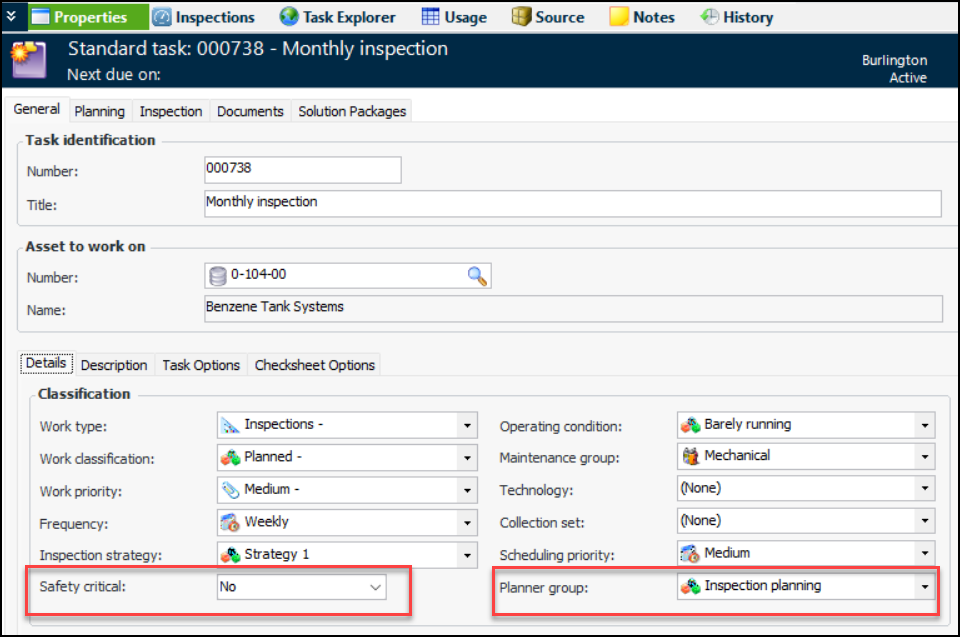
When AWEIS is active for the site, the following properties are available on standard tasks, checksheets, and requests for work:
For example:
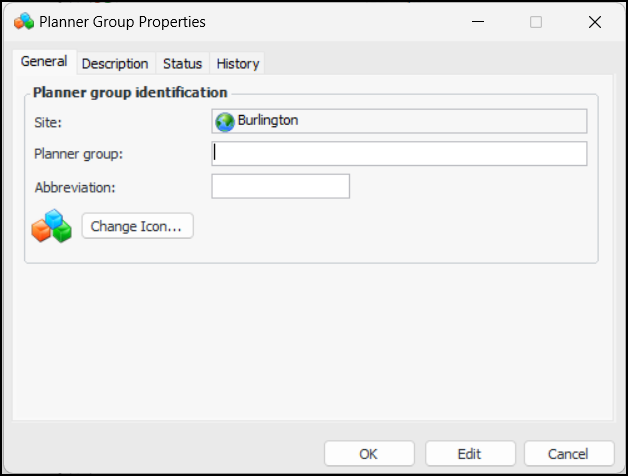
You can define planner groups in Reliability Program settings when AWEIS is active for the site. In the Site window, select the Reliability Program view and the Settings tab. Select the Planner Groups tab and click New. The Planner Group Properties dialog appears:
When you have named the group and provided any other information needed, click OK.
The following properties have been added to the Request for Work, Interop Work Order, Interop Work Request, and Solution Package AWEIS business object documents:
Note: Lists of Planner Groups and Asset Operating Conditions must be manually synchronized. The AssetWise Identity Service is not used for these value lists.

Data Loaders

Two data loaders were updated for this release.

Standard Task Data Loader

The following properties have been added to the Standard Task data loader:
All of the new properties are optional.
When the data loader is processed, the values are copied to the referenced standard task.
The data loader is available in the Enterprise window, Data Loaders view, Reliability Program tab.

Asset Degradation Rates Data Loader

Previously, this data loader created degradation rates on assets. As of this release, the data loader can also update existing degradation rates.

Implementation Assistants

When setting up or updating an implementation of APM, you can now use Implementation Assistants to simplify the setup of selected APM functions. For example, implementing degradation tracking involves selecting settings or adding values for site, asset type, indicator type, calculations, and structural minimum thickness value lists. These settings and value lists are spread over multiple views on site and enterprise. The Assistant brings them all together in one location.
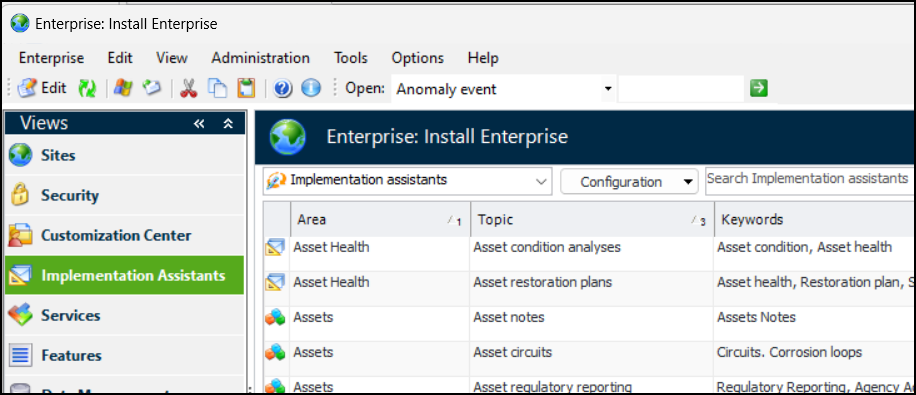
To view and use assistants, open the Enterprise window and select the Implementation Assistants view:
The list is ordered alphabetically by area and then by topic. In addition, you can use the Quick search control to locate a target string in the list.
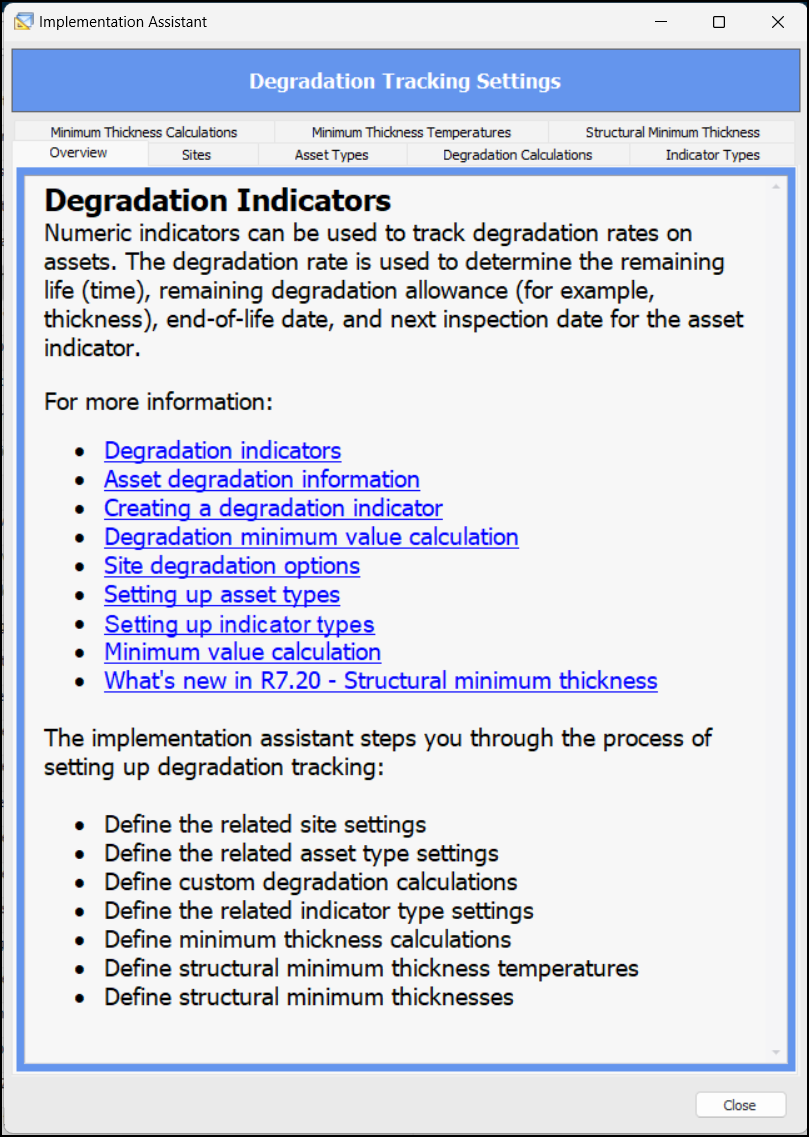
Double-click an assistant to open its window. The Overview tab provides a list of setup tasks, as well as links to related topics in APM Help. For example:
If the functionality is controlled by an application feature, the Features tab is available, listing your currently enabled features. The tab’s introduction identifies which features must be enabled. You can click Enable Features, select them, and click OK. If you are running a Smart client, you might be required to close and reopen it.
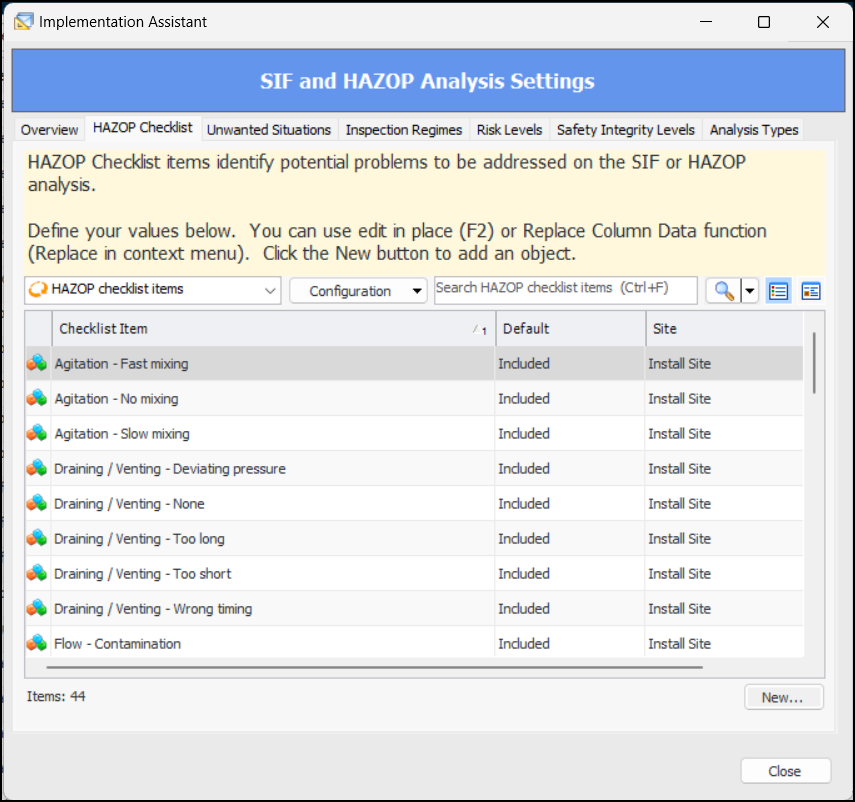
Select the other tabs to create values or to open objects and set options. For example, in the HAZOP Checklist tab shown below, you can:
Click New to create a checklist item
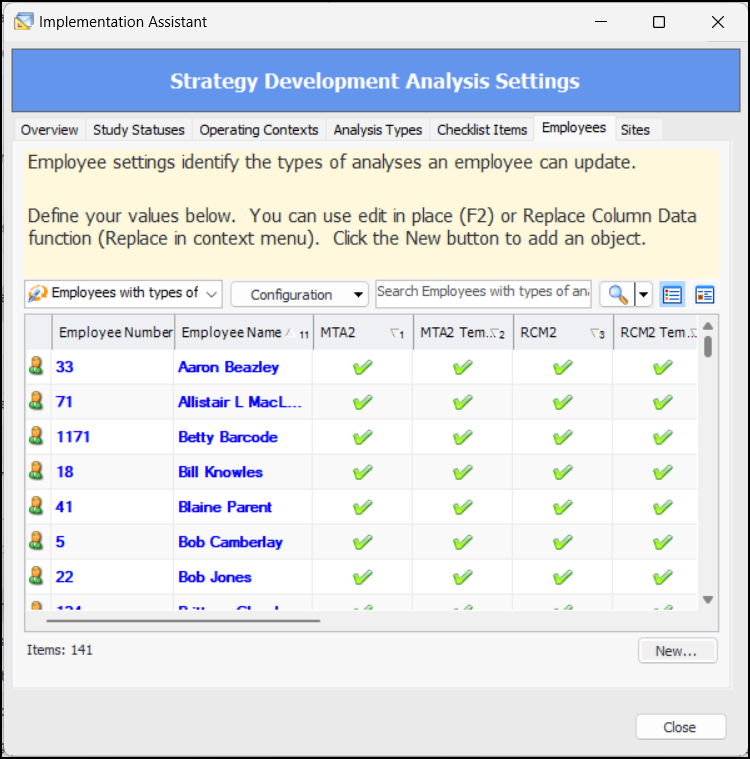
For more complex objects, such as sites, asset types, indicator types, alarm types, approval routes, and so on, the tabs display only information that is specific to the function being implemented. For example, in the Strategy Development Analysis Settings assistant, the Employees tab lists employees, shows their sites, and indicates the types of analyses they are allowed to update:
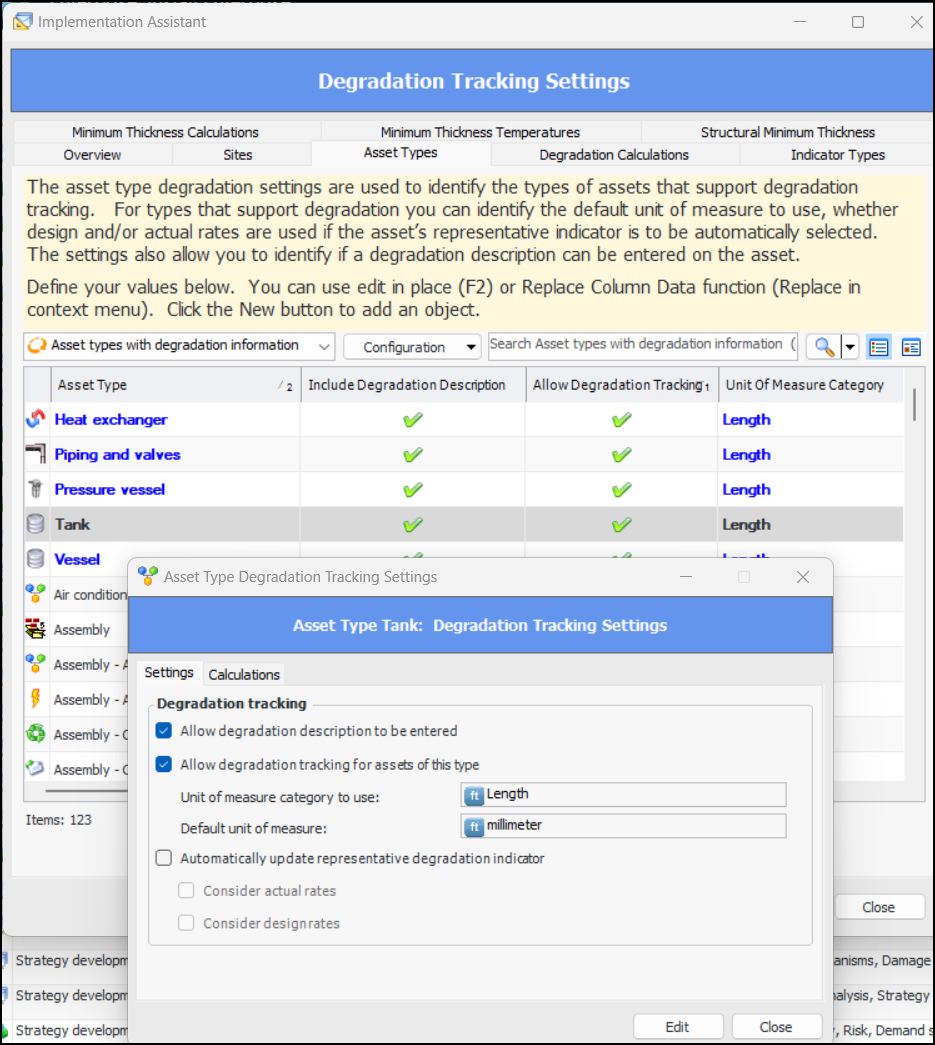
Double-click an item to open an abbreviated version of its object window. In this example, the Asset Type Degradation Tracking Settings dialog contains only attributes related to degradation tracking:
See also Using the Implementation Assistants.

Inspection Management – Platform Topside Inspection Subtype

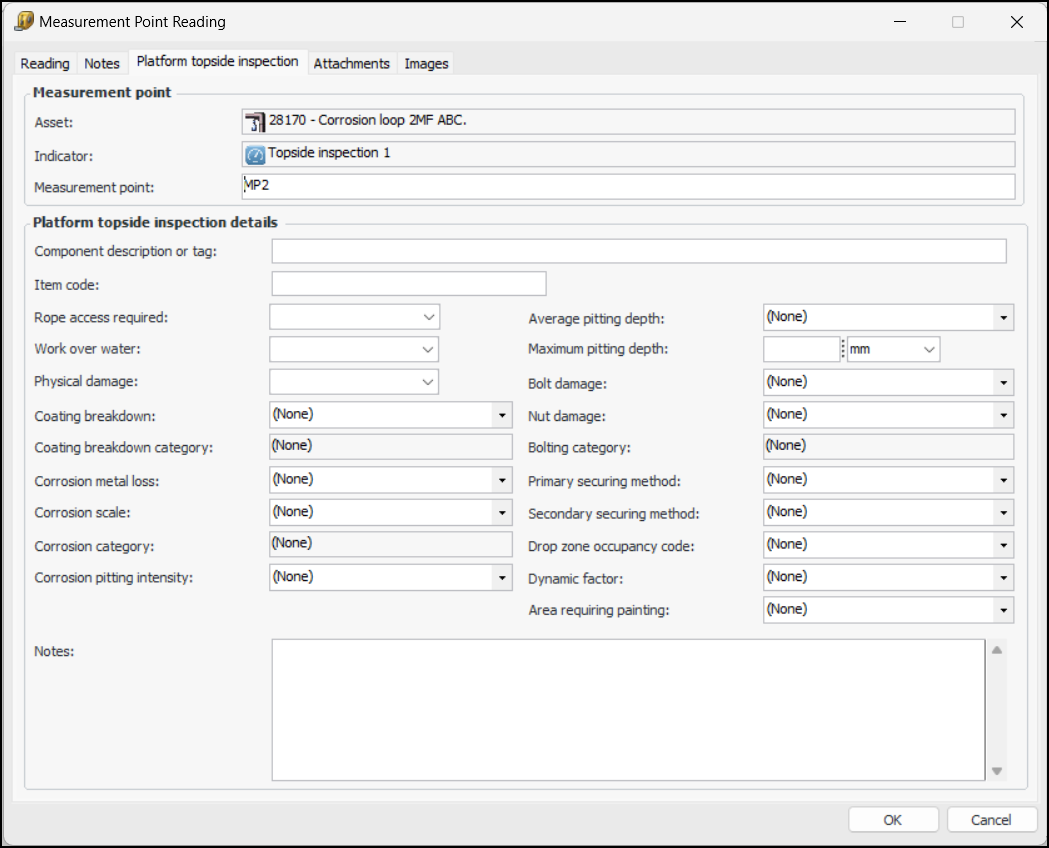
The new Topside Inspection indicator subtype provides value lists, properties, and panels for measurement point readings. When an indicator supports measurement points and the Platform Topside Inspection subtype, its Measurement Point Reading windows display the Platform topside inspection tab:
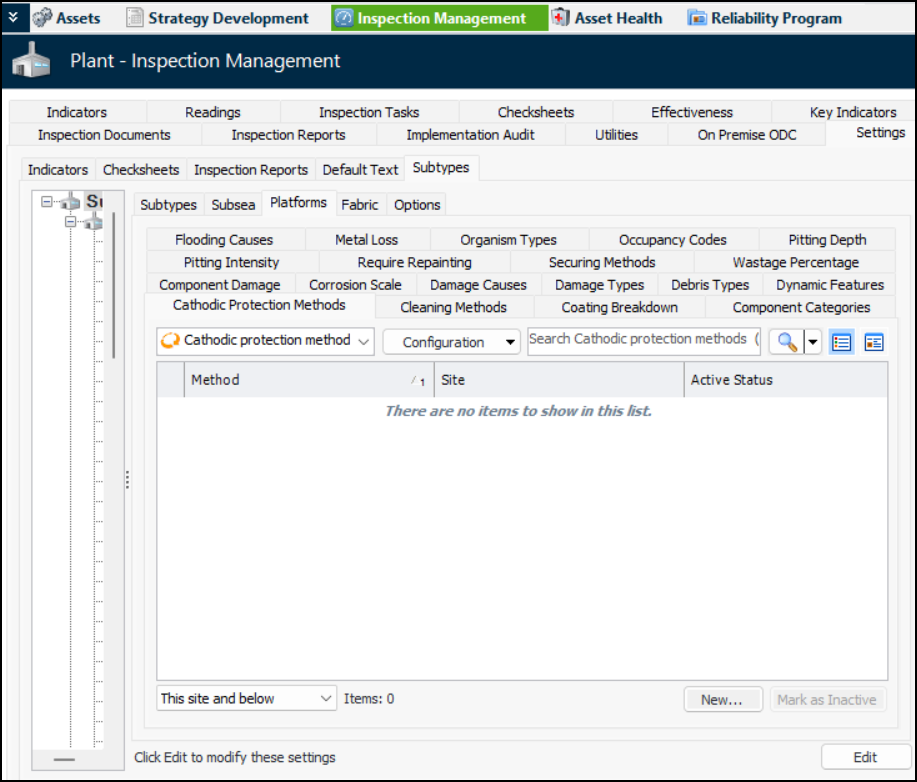
To add values to the lists, open the Site window and select the Inspection Management view and Settings tab. On the Subtypes tab, select the Platforms tab. For example:
You can add values for:

Performance and Stability Enhancements

The following improvements were made for this release:

Strategy Development Analysis – Inspection Strategy Consolidation

When you add an inspection task to a maintenance action plan, the action plan’s inspection strategy is one of the properties copied to the inspection task. As of this release, when the failure mode is marked as Facilitation Complete, APM reviews all of the failure modes associated with the inspection task and copies the inspection strategy from the action plan with the highest criticality to the inspection task.

User Interface – Welcome Messages

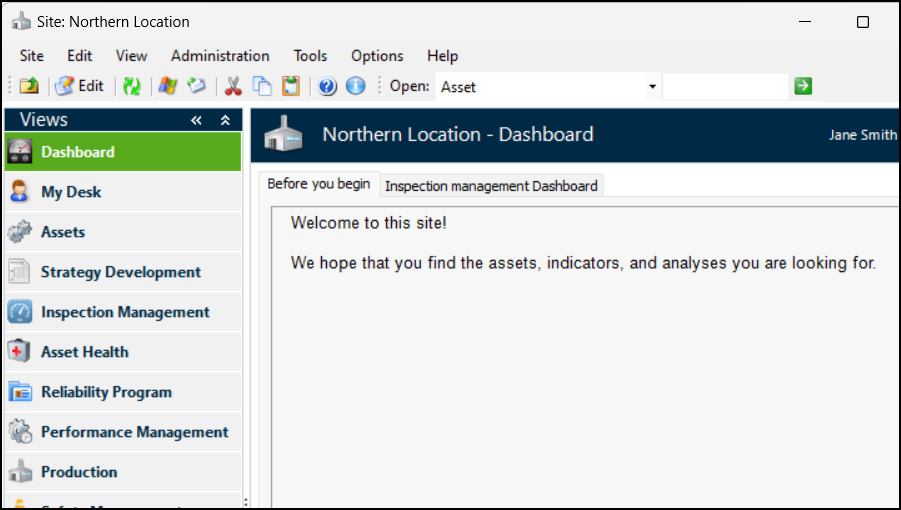
You can now create messages to be displayed on users’ My Desk or Dashboard views in the Site window. Create a message in application settings and then add it to a site’s properties, along with a tab name of your choice.
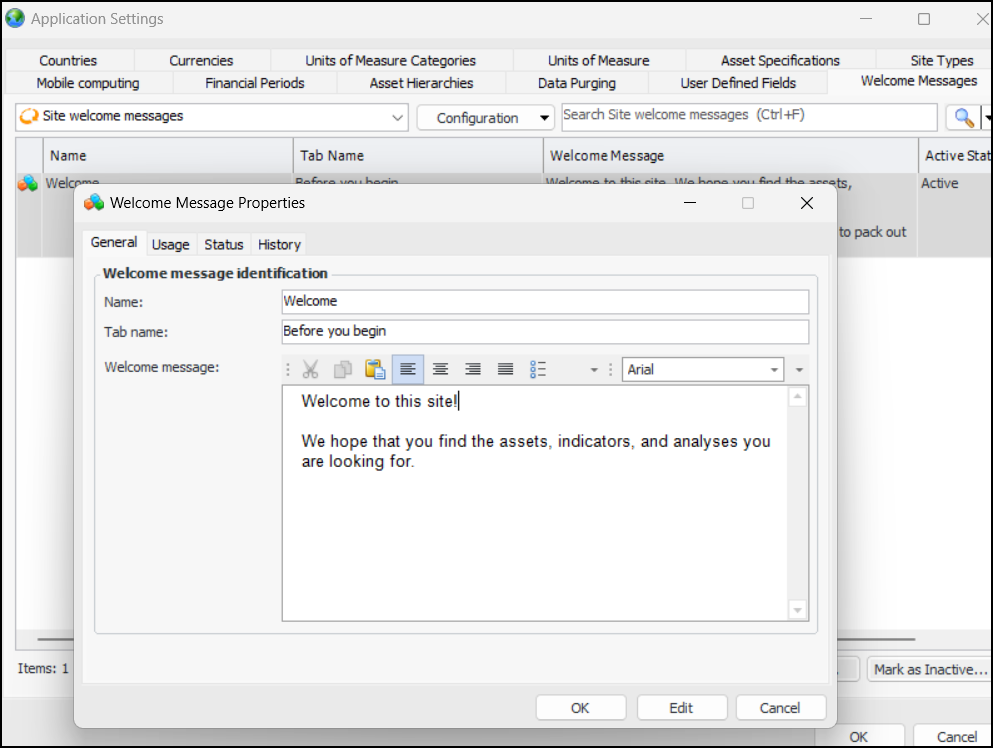
Open the Enterprise window, click the Administration menu, and then Application Settings. In the Application Settings window, select the Welcome Messages tab. Click New to open the Welcome Message Properties, where you can name the message, add a tab name, and enter the message text. For example:
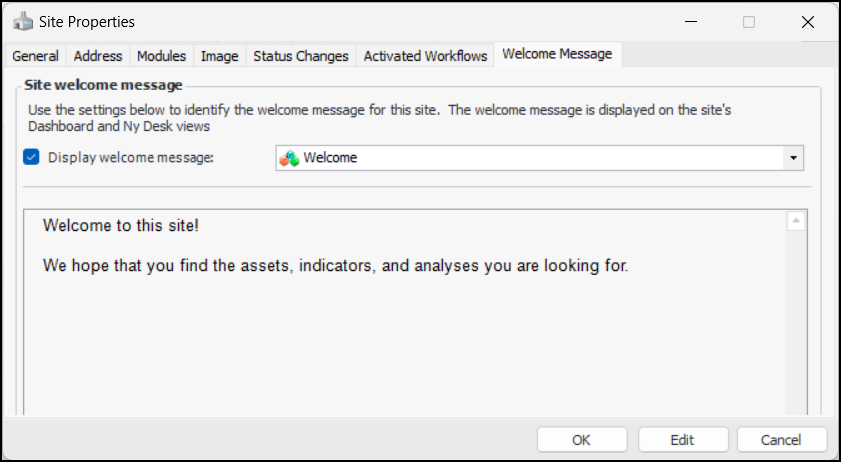
In the Site window, click the Site menu and then Properties. In the Site Properties window, select the Welcome Message tab. Click Display welcome message and select the message from the list. For example:
Finally, select the Personnel view, open the Employee record, and select the Options tab. Select dashboard, my desk, or both types of settings.
When users log into APM and open the Site window, their Dashboard, My Desk, or both views contain the tab and your message.

See also Setting up Welcome Messages.