Viewing Users of Security Profiles

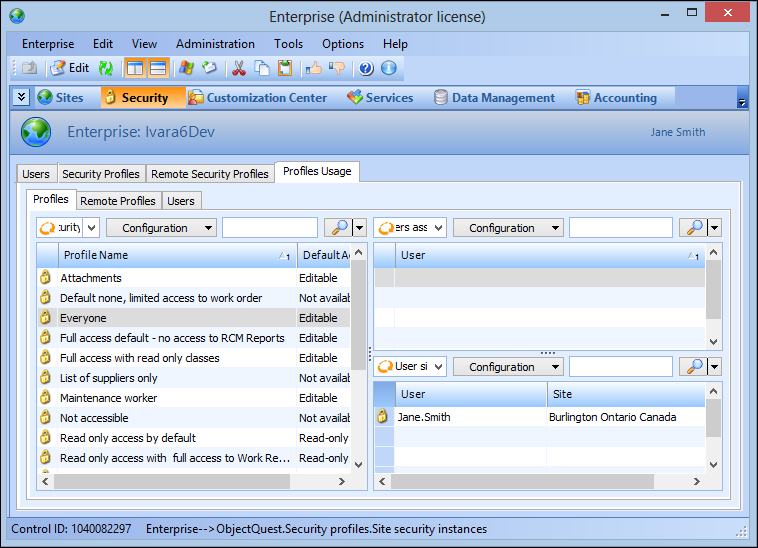
From time to time, you might want to view the list of APM users that are assigned to security profiles. APM also shows what site security is assigned to each profile.
This section explains how to view which users are assigned to security profiles.

To View Users Assigned to Security Profiles

1.
2.
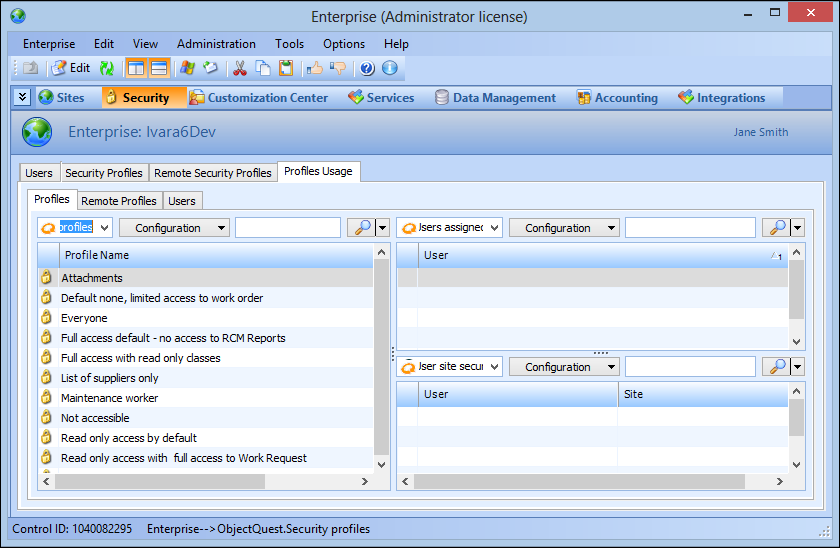
Select the Security view and then the Profiles Usage tab.
3.
Select the Profiles tab. All security profiles are listed in the table on the left.
4.
Note: You can also view all users for individual security profiles from a security profile’s Usage tab, Users and Site Specific Users tabs.
5.
Select the Remote Profiles tab to view remote users assigned to remote security profiles.
6.
Select the Users tab to display all users from which you can select and display all site security for a user.