
Viewing Filters for Table Configurations

You can create, change, and view filters for table configurations to determine what selection criteria is being used to include or exclude information from a configuration.
For more information about filtering, see Filter Criteria Concepts.
This topic explains how to view filters that have been applied to a table configuration.

To View Filters for a Table Configuration
1.
2.
Click Configuration and then Open. The Configuration dialog appears, open to the Columns tab.
3.
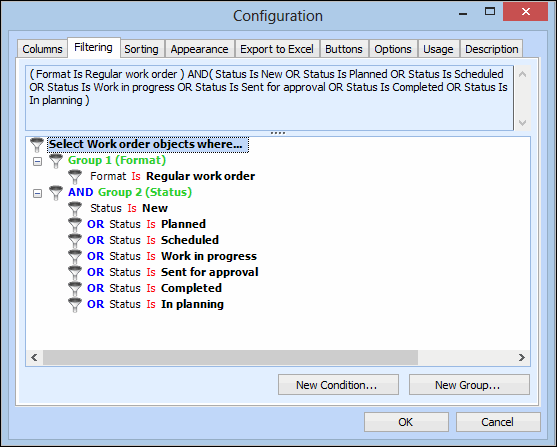
Select the Filtering tab. The upper area displays the syntax of your filter as you add conditions and groups. The bottom area displays the filter groups and conditions in a hierarchy. For example:
 
4.
For more information about filters and table configurations, see: