Viewing Enterprise Audit History

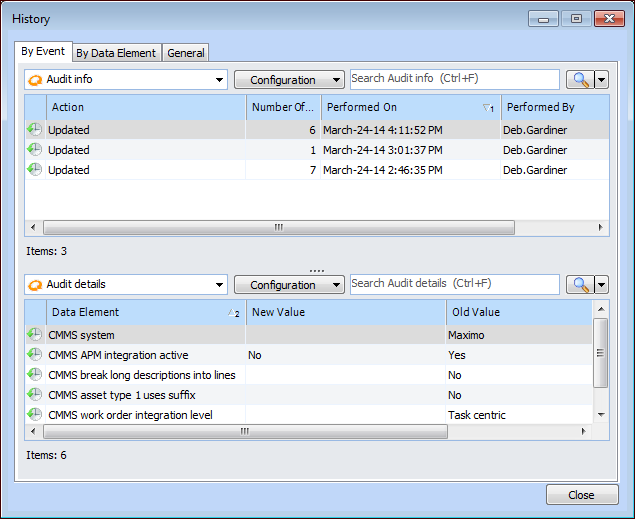
APM records changes made to the enterprise for audit purposes. Details of the change are displayed in the audit history, including the user responsible for the change, the date the change was made, and previous and current values.

To View Enterprise Audit History

1.
On the Enterprise window, click the Enterprise menu and then History. The enterprise’s History dialog appears.
2.
Select the By Event tab and select an event in the top table. Audit details for that event appear in the table at the bottom. For example:
3.
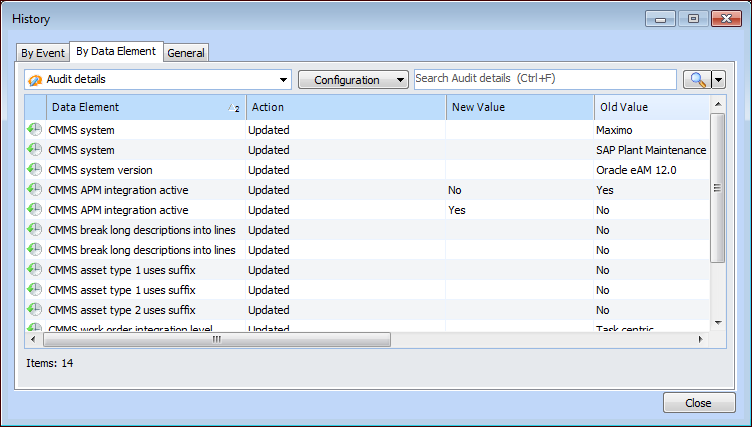
Select the By Data Element tab to view audit details for each data element. For example:
4.
Select the General tab to view creation and last update information for the enterprise.
5.