
Viewing Checksheet Readings on Work Order Tasks

When checksheets are created for work order tasks, APM lists the readings on the work order task for easy reference.

To View Checksheet Readings on a Work Order Task
1.
2.
From the Planning view, select the Inspection tab.
3.
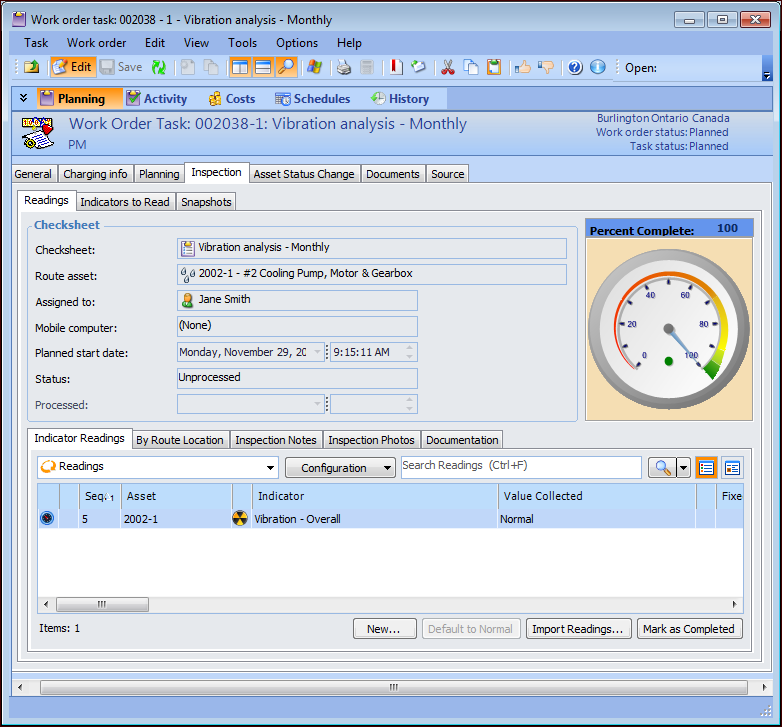
Select the Readings tab. Checksheet information and a graphical representation of the percentage of checksheet completion is displayed. For example:
 
4.
Select the Indicator Readings tab to view indicator readings on the checksheet.
5.
Select the Measurement Points tab, if available, to view measurement point readings for the checksheet.
6.
Select the By Route Location to view indicator readings by route location.
7.
Select the Inspection Notes tab to view any notes entered on the checksheet.