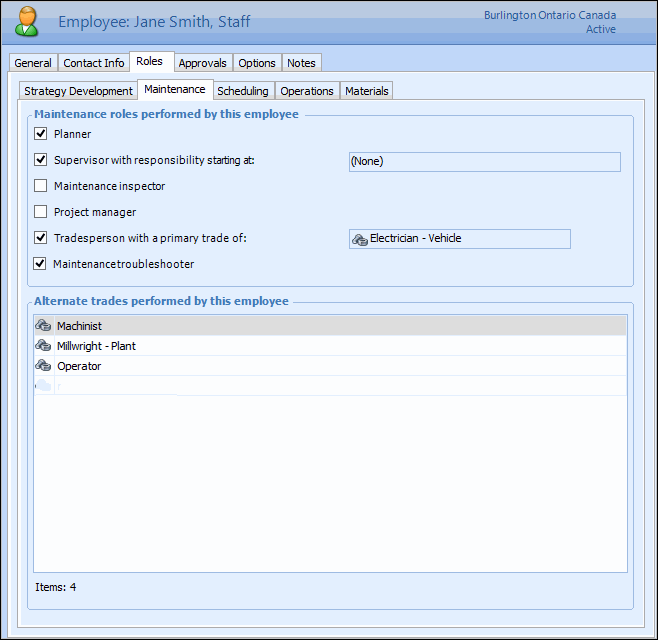
Tasks Adding Troubleshooters Troubleshooters are maintenance tradespeople specifically assigned to handle minor problems that occur everyday. These tasks are usually not planned and, therefore, work orders are not created for them ahead of time. The troubleshooter responds when the problem occurs and performs the necessary repairs to get the equipment back in service as quickly as possible. APM provides a way for troubleshooters to record their time spent on troubleshooting tasks without having to create a work order for each task. Only employees with the troubleshooter role selected on their employee record can have their time recorded against a troubleshooter timesheet. To Add a Troubleshooter 1. Select the site's Personnel view. 2. Find the name of the employee who will be a troubleshooter, and double-click it. The Employee window appears. 3. On the Properties view, select the Roles tab and then the Maintenance tab. 4. Select the Maintenance troubleshooter box. 5. Save and close the Employee window.