|
Triggering a Subset of Standard Tasks on a Standard Job or PM Route
To Set up Triggering Cycles on a Standard Job or PM Route
1.
3. Click Only trigger a subset of tasks based on the cycles below. The Triggering cycles area can now be edited.
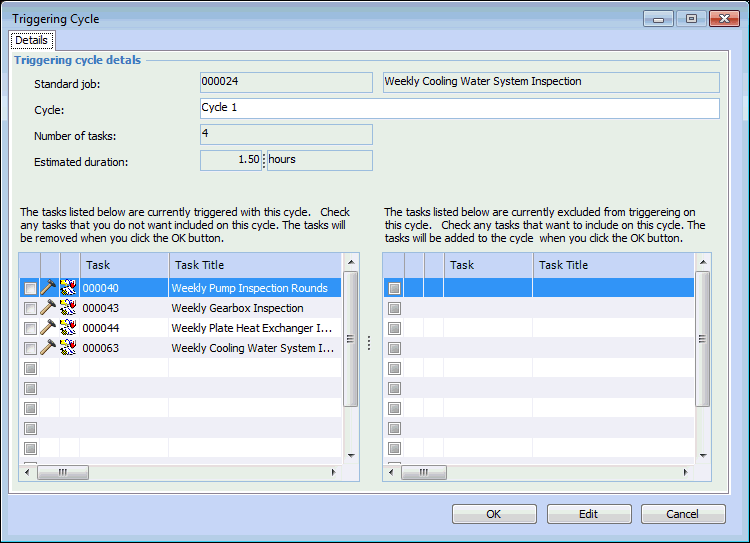
5. APM adds the cycles to the Cycles tab. Give each cycle a unique name to make it easier to identify which cycles trigger which tasks. To name a cycle, double-click it. In the Triggering Cycle dialog, enter the cycle name and click OK.
6. To change the cycle that will be triggered next, select the Next Triggering tab and click Change. In the dialog, select the next triggering cycle list and click OK.
7. Select the Tasks tab. This tab lists the triggering cycles and each cycle’s tasks.
10. Tip: You can also assign individual standard job tasks to one or more cycles. In the Standard Job window, Properties view, select the Tasks tab. Double-click a task to open the Standard Job Task dialog, where you can specify which cycles the task is to be performed on.