
Receiving New Serialized Resources

When you receive new serialized resources, units are created for each of the tools received. For example, if 12 items are received, 12 units are created.
Note: If the tools were purchased from purchase order based on a manual requisition, they will not be received into inventory and units will not be created.
When you use the purchase order, the units are created with a status of “Spare” by default. You can select a different status, if necessary.

To Receive New Tools On a Purchase Order
1.
From the site’s Purchasing view, select the Purchase Orders tab and then the Purchase Orders tab.
2.
3.
4.
5.
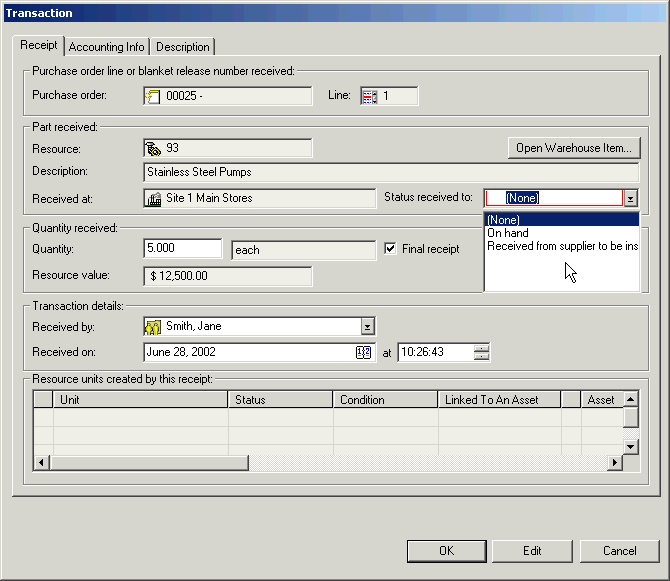
Enter the Quantity received.
6.
7.
8.
9.
Repeat steps 3 to 8 for each purchase order line that you are receiving.
10.
11.