|
Counting Serialized Resources
To Count a Serialized Resource
1.
2. Select the Warehouses tab, and then double-click to open the warehouse for which you want to count materials.
3. Select the Count Sheets view. By default, this tab lists all current count sheets for the warehouse.
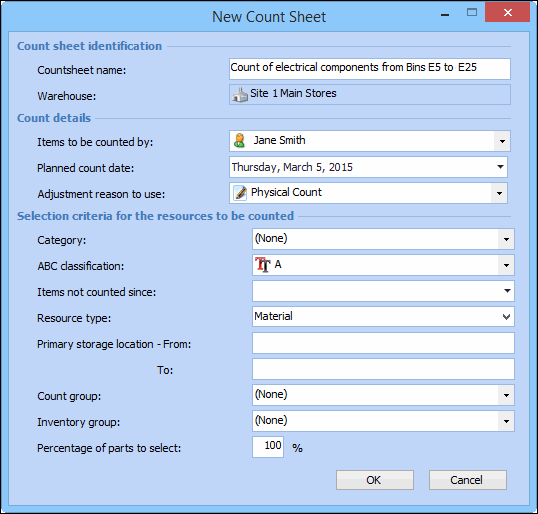
4. Click New. The New Count Sheet dialog appears. Enter your criteria for parts to be counted. For example:
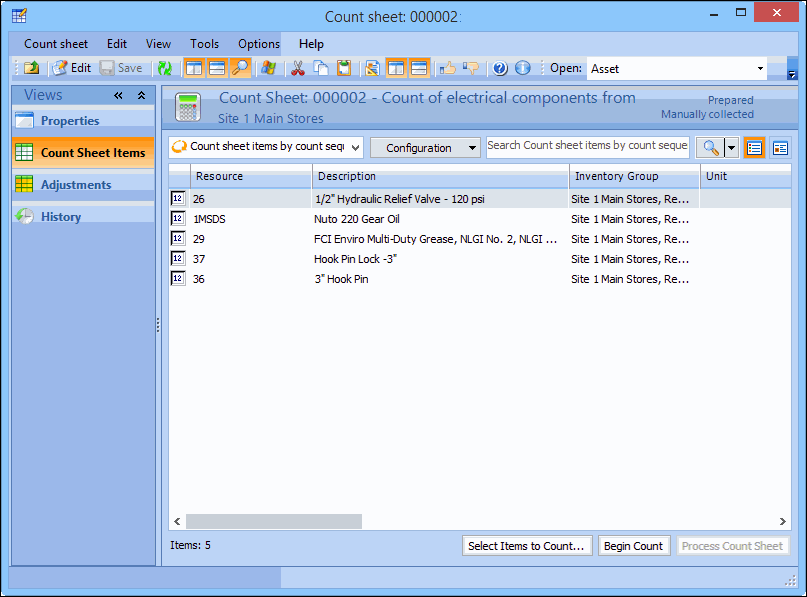
5. APM creates the count sheet and displays it in Count Sheets on the Current tab. Double-click the count sheet to open it. A separate line item is created on the count sheet for each serialized unit.
6. If you want to change the list of parts on the count sheet, click Select Parts to Count. The Change Selection Criteria dialog appears. Enter your selection criteria, then click OK. If the list of parts will change, APM asks you to confirm the change. To confirm click Yes, to cancel click No.
7. To start counting, click the Begin Count button. APM locks the items identified on the count sheet so that they cannot be issued from inventory. Any transactions for the items are held until the count has been completed.
8.
9.