
Adjusting the Inventory Value for Serialized Units

You can adjust the inventory value for a serialized resource unit.

To Adjust the Inventory Value for a Serialized Resource
1.
In the Site window, select the Resource Management view and then the Inventory tab.
2.
Select the Warehouses tab, and then select the warehouse in which the resource is stocked, from the table on the left side. The list of stocked resources is shown in the table on the right.
3.
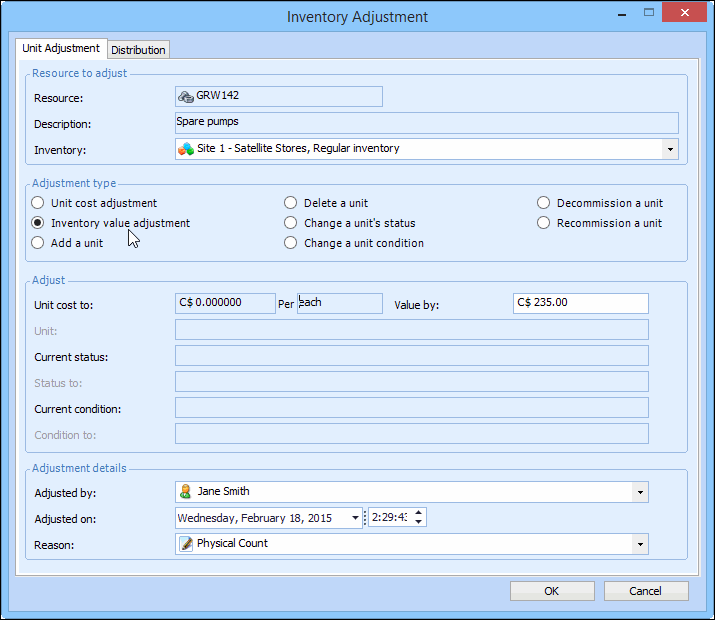
Right-click the serialized resource and select Adjust Item. The Inventory Adjustment dialog appears.
4.
5.
In the Adjustment type section, select Inventory value adjustment.
6.
7.
Click OK to post the adjustment.