
|
Adding Serialized Units for Tools
If you will be linking the added unit to a maintainable asset, you must first issue the unit at which time you can update the status to Issued to match the asset status. For more information about issuing serialized resources, see Issuing Serialized Units.To Add A New Serialized Unit — Inventory Adjustment
1.
2. Select the Warehouses tab, and then select the warehouse in which the resource is stocked, in the table on left side. The list of stocked resources for the selected warehouse is displayed in the table on the right.
3. Right-click the serialized resource that you are adjusting and select Adjust Item. The Inventory Adjustment dialog appears.
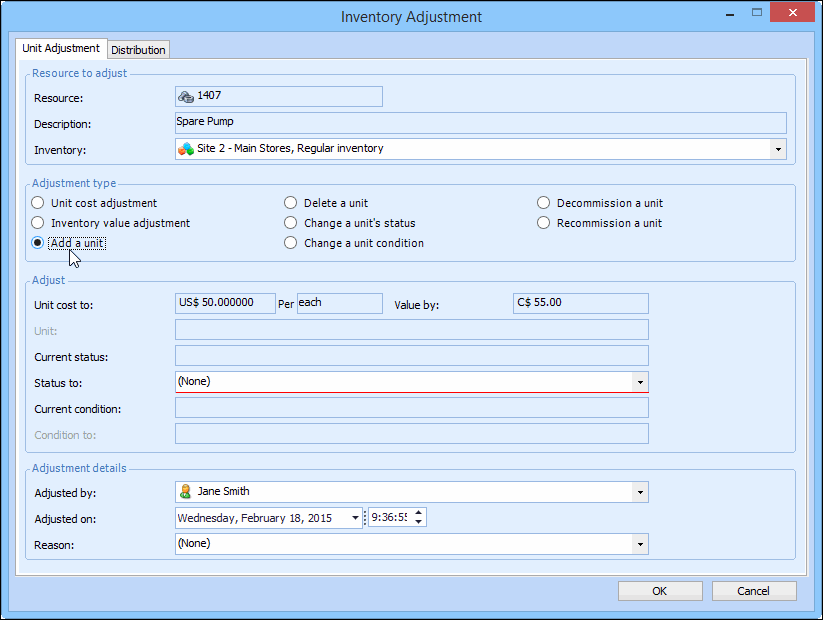
4. Identify the resource (part to adjust) and the warehouse. When you enter the part number for a serialized resource, the Add a unit option is available. For example:
5. Select Add a unit as the adjustment type.
6.
8. Click OK to add the new unit.