Creating an Equipment Rental Purchase Order

You can use a rental purchase order to rent tools from suppliers. To do this, you will create a purchase order line for the request with a purchase type of equipment rental. The purchase order line’s quantity is expressed as a duration. For example, the equipment is required for three days. The system will calculate the cost based on the rental rate on the supplier resource for the resource. Equipment rentals cannot be charged to the item’s warehouse. They must be charged to a work order, asset or GL account.
If your organization uses requisitions, you can also turn any existing requisition into a purchase order. Please see Turning a Requisition into a Purchase Order. If the rental requirement has already been planned on a work order, you can create the purchase order directly from the work order. Please see Creating Purchase Orders from a Work Order.
This topic explains how to create a purchase order line for a rental order from scratch.

To Create a Rental Purchase Order

1.
2.
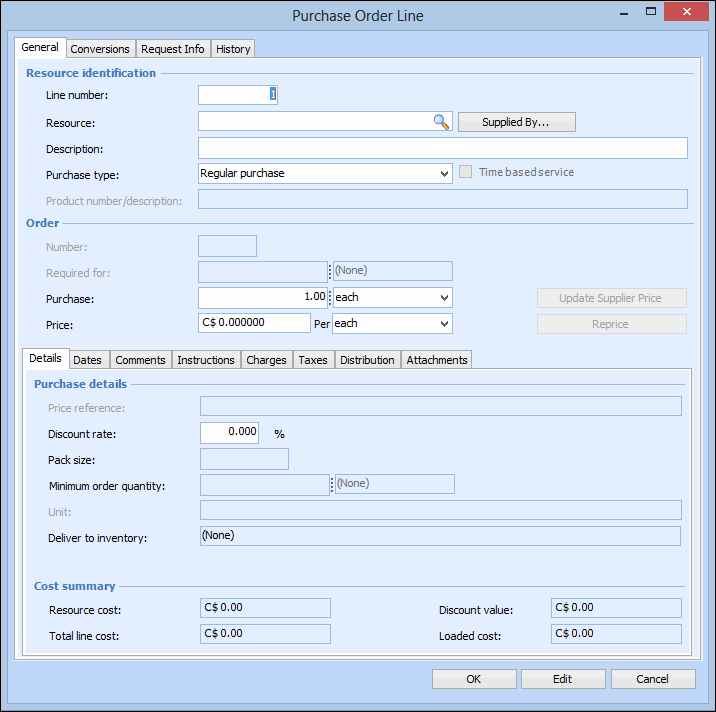
Select the Lines tab, and then click New. The Purchase Order Line dialog appears, open to the General tab.
3.
To create an equipment rental purchase order, select the Details tab and complete the following:
The purchase type Equipment Rental.
4.
Select the Distribution tab and enter or browse to select either a work order, asset, or account to charge, and then click OK.
5.
Click OK. The line is added to the purchase order. The cost is based on the rental rate on the supplier resource for the resource.
6.