
|
Splitting an RFQ Resource
To Split an RFQ Resource Line
2.
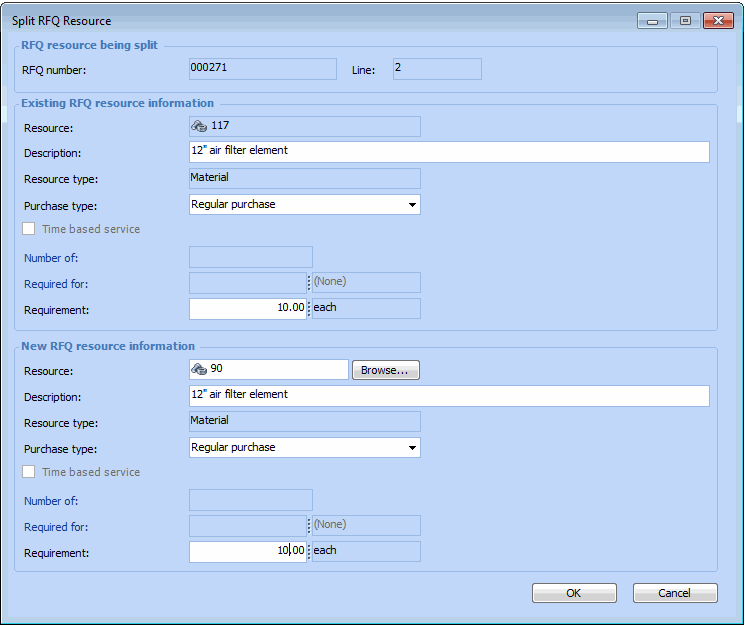
3. Right-click on the resource line that you want to split, and select Split Line. The Split RFQ Resource dialog appears.
4. In the Existing RFQ Resource Information section, edit any of the information on the originating resource line (for example, Description or Requirement).
5. In the New RFQ Resource Information section, enter the information for the new resource line. For example, you can change the Resource, Description, Purchase type, or Requirement (quantity).
6. Click OK. The system creates a new resource line, and updates the originating line with any changes. The changes are also copied to the originating work order or requisition.
7. When you are finished, Save the RFQ.