|
|


Site Types and Site Ownership of New Objects
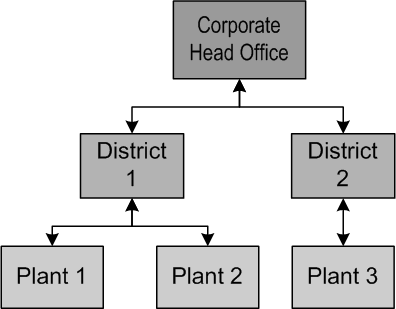
If you create a new object from the context of an existing object, the site that owns the existing object will be set as the owner of the new object. For example, districts do not own work orders, but District 1 can view the work orders at its plant sites. If you open a Plant 1 work order task from the District 1 site, you can edit it by selecting a planner on the Planning tab. If the planner is not yet recorded in APM, you can add a new employee record by right-clicking the Planner box and selecting New. When you create the employee record in this way, the new employee is created at the Plant 1 site.For example, if you open the District 1 site’s Reliability Program view, you can view the task templates owned by the Plant 1 and Plant 2 sites. However, if district sites are not allowed to own task templates and you try to create a template from the District 1 site, the new template’s site is set to the next highest-level site that can own task templates (for example, the Corporate site). To create a new task template for the Plant 2 site, you will need to open Plant 2 and navigate to the Reliability Program view in that site.