
Scheduling Work Order Tasks Using Simple Scheduling
Simple schedules provide the basic scheduling functionality for maintenance groups that perform small, relatively straightforward jobs. Using simple schedules, you can schedule tasks for a specific date or during a specific week without having to manage multiple schedules and track availability.
With simple schedules, you do not need to create templates or a schedule hierarchy. Just assign planned work order tasks to a maintenance group and then set the planned start date or work week. You cannot specify the time when the work should be done or how long it will take, and you cannot track the availability of requirements.
You can schedule a work order task using simple scheduling. You need to identify the maintenance group for the task before you can put it on a simple schedule.
Note: Task scheduling relationships (predecessors and successors) do not apply when simple scheduling is used. If scheduling by date, the system will warn you if the selected date does not match the task’s constraint settings. However, the Finish no earlier than, Finish no later than, and Must finish on constraint types do not apply for simple scheduling.
If you use availability scheduling, please see Scheduling a Work Order Task Using Availability Scheduling.

To Schedule Work Order Tasks Using Simple Scheduling

1.
2.
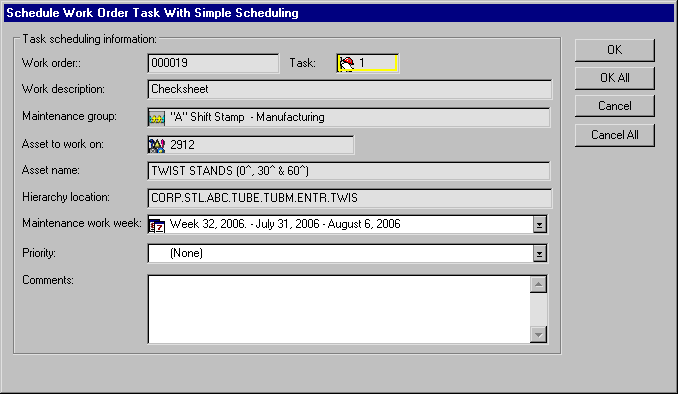
From the Task menu, select Schedule (Simple Scheduling). The Schedule Work Order Task With Simple Scheduling dialog appears.
3.
Enter the date or work week when the task should be performed.
Note: The maintenance group’s properties determine whether the work is scheduled by date or by work week.
4.
5.
Click OK to save the scheduling information and close the dialog.