|
Selecting Security Profiles for Users
To Edit the User Profile
2.
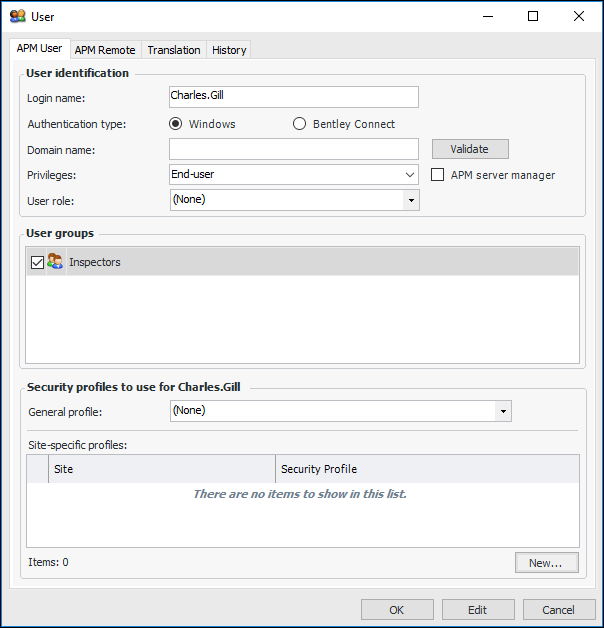
4. The User groups box displays the user groups of which this user is a member. For more information, see Creating User Groups.
5. In the General security profile box, select the profile for the user’s home site. This is the profile that will be used for all sites, except for any that are listed in the table below.
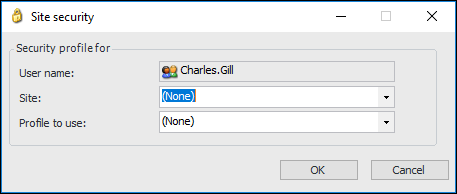
6. Click New. The Site Security dialog appears.
7. In the Site box, select the top site in your hierarchy.
8. In the Profile to use box, select the profile that you have created for the top site for this user. This profile may or may not be different from the profile that you have created for the other sites.
9. Click OK.
10. Click New again. Select the next site that you want to secure, and select the appropriate profile for that site.
11. Repeat step 10 for each site except for the user’s home site.