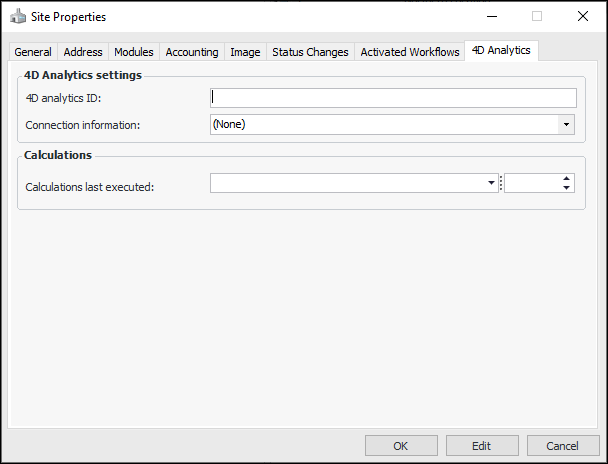
Concepts Tasks Settings Setting Site Properties For each site that will use 4D indicators, identify the 4D Analytics ID and the connection. You can also view the date and time that the calculation engine last ran. 1. In the Site window, click the Site menu and then Properties to open the Site Properties dialog. Select the 4D Analytics tab. 2. This tab contains the following properties: Setting Name Description 4D Analytics ID Identifier for the APM site to be used in the 4D Analytics system and in the readings that are ingested into that system. You can enter the Site Name or any other unique identifier for the site. Note: The site’s 4D Analytics ID should match the site ID indicated in the name of the CSV files used to load the Influx values (for example, “Site D_groups_20200501.csv”). Connection information Name of the connection definition in APM that records the server, Influx database, and authentication information. Each site that uses 4D Analytics should have its own connection. Calculations last executed Date and time that the calculation processing engine last ran. 3. Click OK to save the properties and close the dialog.