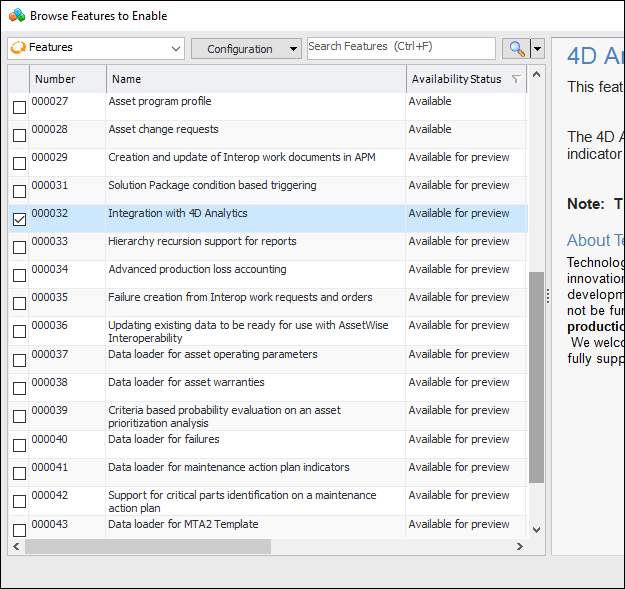
Enabling the Product Feature

Enabling the “Integration with 4D Analytics” feature makes settings, tools, and information available in APM.

To Enable the 4D Analytics Feature

1.
Open the Enterprise window, select the Features view and the Enabled Features tab.
2.
Click Browse. The Browse Features to Enable dialog appears listing all features with the status of “Available” or “Available for Preview”.
3.
4.
Click OK. The dialog closes and the feature is listed in the Enabled Features tab.
5.
Note: When APM is running as a smart or remote client, you must click Refresh Enabled Features on the server. Then restart the client to use the functionality in the product.
Note: We recommend using APM security to ensure that only appropriate users have access to the features management function.