Setting My Preferences

You can set preferences for working with APM, including contact information and email options.
Note: Most of the settings on the My Preferences dialog are also available in your employee record in the Personnel view.

To Set Your Preferences

1.
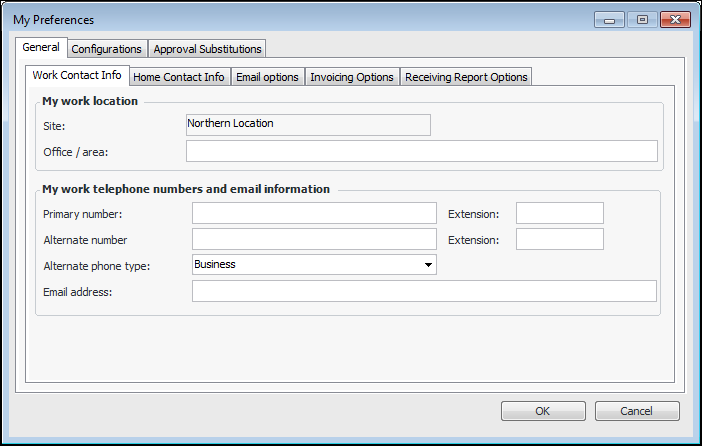
From the Site window, select the Tools menu and then Preferences. The My Preferences dialog appears, open to the General tab.
 
2.
On the Work Contact Info tab, you can update your office area, work telephone numbers, and email address.
3.
On the Home Contact Info tab, you can update your home address and telephone numbers.
4.
On the Email Options tab set your email preferences:
5.
On the Invoicing Options tab, select your preference for viewing invoice lines and closing the window automatically when the invoice is processed. If you would like to view the line entry pad whenever you open an invoice, select List of invoice lines with the line entry pad.
6.
On the Receiving Report Options tab, you can select to close receiving reports when they are posted.
7.
On the Configurations tab, you can view and organize your personal table configurations.
8.
On the Approvals Substitutions tab, you can view, create, and delete substitutes to approve documents when you are not available. For more information, see Setting up Substitute Approvers.
9.