|
|


Securing Views, Tabs, and Dialogs
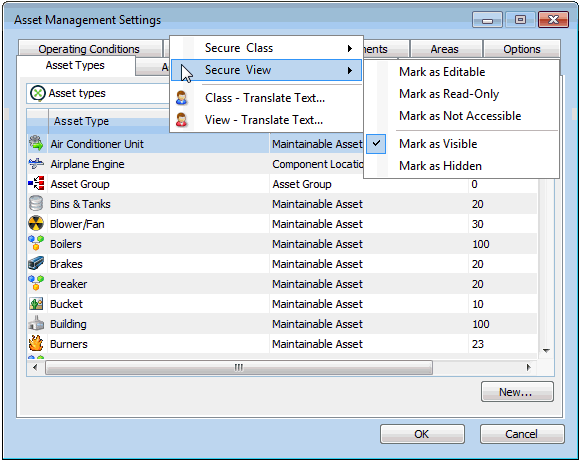
A view is a screen or set of screens in the user interface. Each class usually has one or more views. View objects include class views (for example, the site’s Assets view) and dialogs (for example, the Work Management Settings dialog).The effect of selecting the Mark as Editable, Mark as Read-only, or Mark as Not Accessible option for a view will depend on the default security level for the class that owns the view. For more information, see Effects of Mark as Options for Views, Tabs, and Tables.Note: Setting an object’s site view to hidden will not provide complete security for that object. Users may still be able to access those objects if they appear in other views, tabs, or tables. Conversely, making a view visible will not provide complete access to editing and working with the objects shown in the view. In order to prevent or grant complete access to an object you will need to set security at the class level. See Securing Classes.Backing Up Your Work
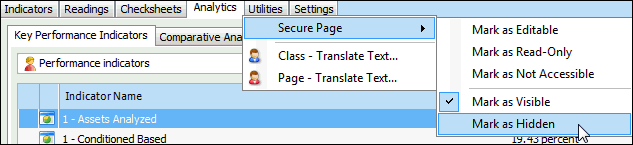
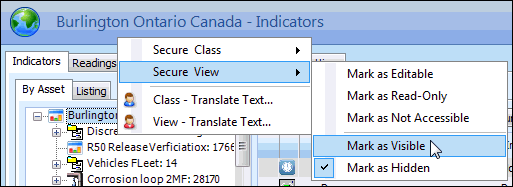
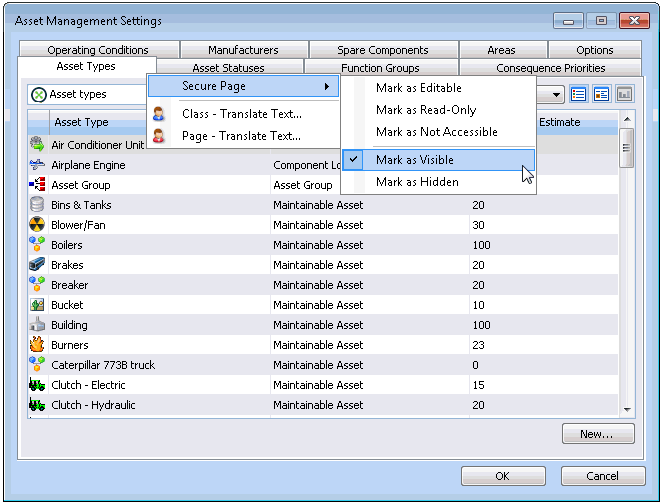
To Secure a View, Tab, or Dialog