
|
Securing Classes
Note: Secured data may still be accessible in some reports. If this is the case, you will also need to secure the report. See Securing Reports.To Secure a Class
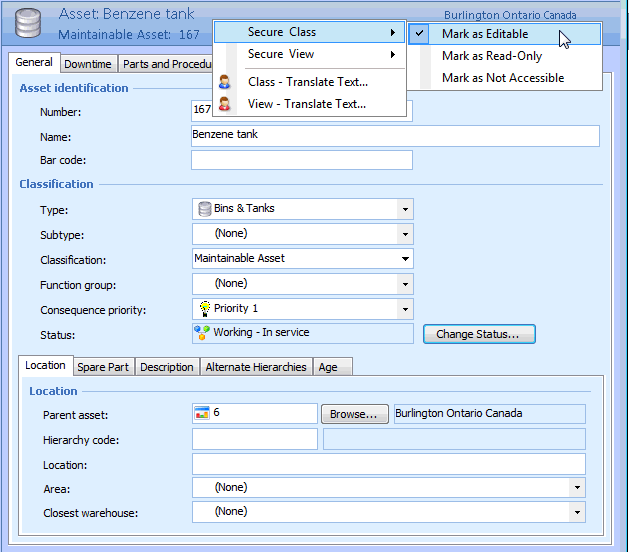
2. To access the security settings, right-click the banner and select the Secure Class option.
4. To review the override that was added, navigate to the Enterprise window, Security view, Security Profiles tab. Double-click the active profile to open the Security Profile window. You can open any class security by double-clicking it.