Attachment Security

Many APM objects allow you to add attachments. Users can add attachments to any APM object with a main window that has a banner, and to indicator readings. For example, users might want to create attachments to work orders, assets, or to indicator readings.
If you are securing objects that have attachments, you might also need to set up security for the attachments. You can have different security settings for each type of object that owns the attachments. For example, you could authorize users to add attachments to work orders but not to assets.
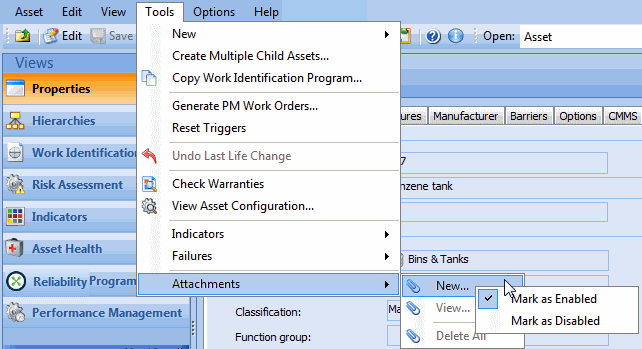
The security setup for attachments is method-based. That is, rather than securing the Attachment class itself, you will need individual methods which allow you to work with attachments on a class by class basis. For example, to prevent users from working with attachments to assets, you will need to secure the Asset class’ Tools, Attachments menu options (New, View, and Delete All).

To Secure Attachments for a Class

1.
2.
From the Tools menu select Attachments.
3.
The system automatically adds the required overrides to the active security profile.
4.
To review the override that was added, navigate to the Enterprise window, Security view. Double-click the active profile to open the Security Profile window.