Updating Status Using a Change Set

A change set value in APM is usually a reference to a change request generated by a Management of Change (MOC) system. It provides a basic reference between the request and the change made in APM. You can assign change sets to safety provision versions and strategy development analyses.
You use the change set to update the study status of the analyses and the safety status of the provision versions that reference it. This topic explains how to update the status of analyses and provision versions from a change set.
For information about defining change sets, see Creating Change Sets.

To Update Status using a Change Set

1.
Select the site’s Safety Management view and the Change Sets tab. This tab shows the change sets defined for the site.
2.
Tip: You can also open a change set and click Change Set at the bottom of the dialog.
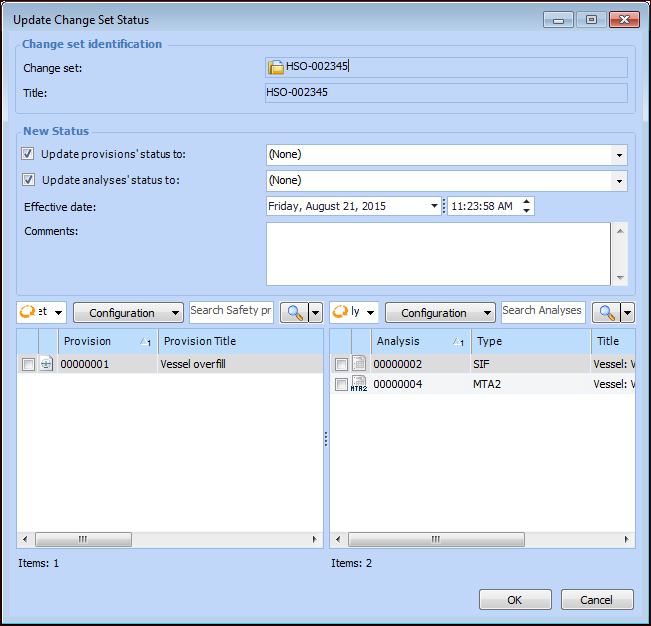
The Update Change Set Status dialog appears.
By default, both options are available. If you wish to update only provision versions or analyses, clear the other option. When you clear an option, its table is no longer displayed.
3.
4.
5.
6.
7.
8.
Click OK. The provision versions and analyses are updated and the dialog closes.
9.
If you selected two or more change sets in step 2, the next change set’s Update Change Set Status dialog appears. Complete steps 3-8.