Renumbering Assets and SIF Failure Modes

Assets and failure modes are automatically assigned sequential numbers when they are added to an analysis. Assets are given sequence numbers, while failure modes are uniquely identified by checklist item and failure mode sequence numbers. For example, this Maintenance Action Plan window shows that this is the second failure mode for checklist item 10:
Tip: You can view asset sequence numbers in the Strategy Development Analysis window, Properties view, Assets tab. You can see failure mode sequence numbers in several locations, for example Facilitation view, Failure Modes tab.
Note: SIF templates reference an asset type, rather than particular assets. Consequently, you can only renumber failure modes in a SIF template.
As the analysis progresses, you might need to delete assets or failure modes from the analysis, leaving gaps in the sequence.
This topic explains how to quickly renumber assets, failure modes, or both in an analysis.

To Renumber Assets and Failure Modes in an Analysis

1.
From the site’s Strategy Development view and tab, select the SIF tab.
2.
3.
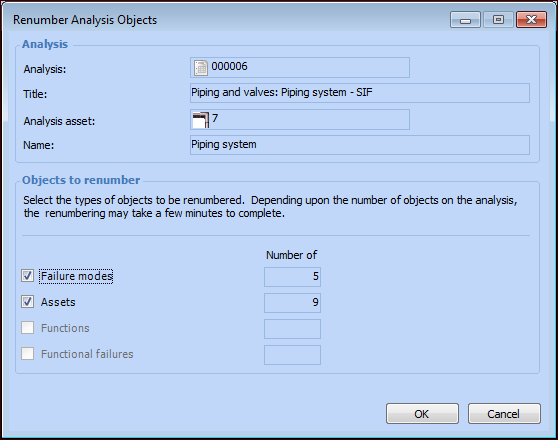
Click the Tools menu and then Renumber Objects. The Renumber Analysis Objects dialog appears. For example:
4.
By default, both Failure modes and Assets are selected. You can adjust the settings as required.
5.
Click OK. Depending on the number of objects, a progress dialog might appear. The objects are renumbered.