|
Creating Secondary SIF Action Plans
Tip: The Action Plans view in the analysis window lists the action plans for each failure mode. The Action Plan Type column indicates whether the action plan is primary or secondary.To Create a Secondary Action Plan
1. Tip: You can also open a failure mode by opening an asset and selecting the Strategy Development view, Strategy Development tab, and Failure Modes tab.
4. Select the Facilitation view, Info Worksheet tab. Double-click the failure mode to open the Maintenance Action Plan window.
5.
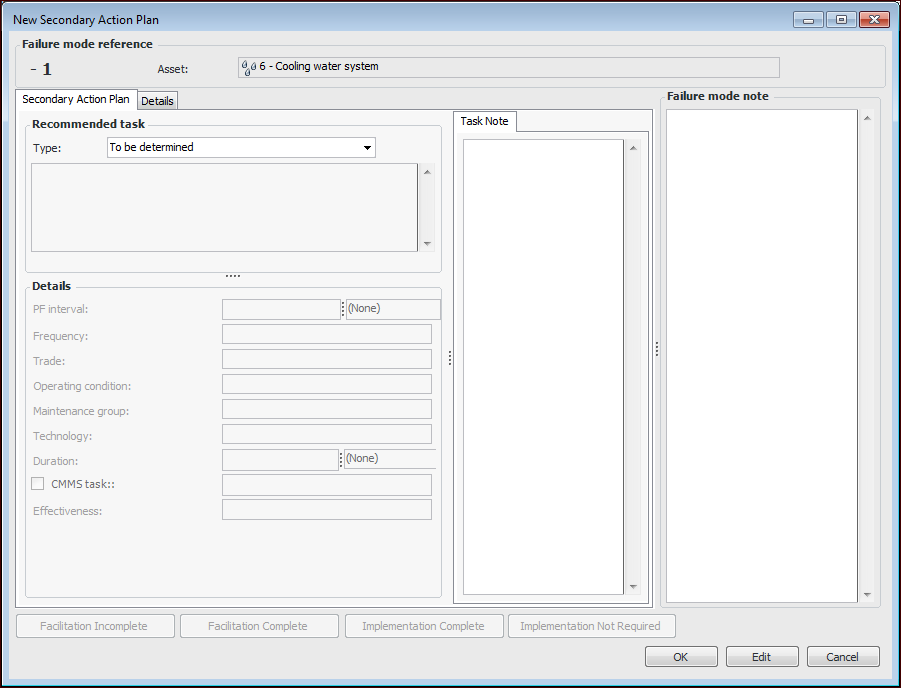
6. Click New. The New Secondary Action Plan window appears.Note: If APM is configured to interact with a SAP Plant Maintenance system, System condition and Work center are available in the Details area.
9. If the action type is condition-based maintenance, failure-finding maintenance, scheduled restoration/discard, or review existing maintenance, you can add an inspection task and individual indicators using the Indicators tab, corrective tasks using the Tasks tab, or a work request or work order using the Follow Up tab. For information, see Adding Inspection Tasks and Indicators to SIF Action Plans.
10. If the action type is modification/redesign, you can add a standard document to the plan. Click Browse to select or create a document.
11.