|
|


Working with Asset Scope on a SIF Analysis
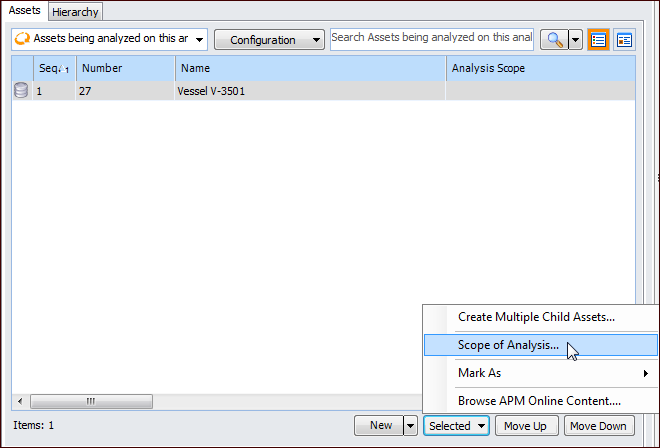
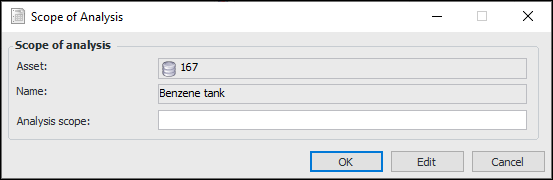
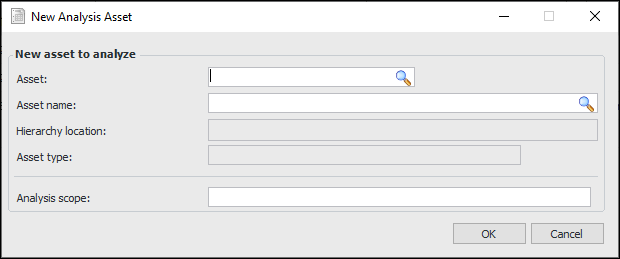
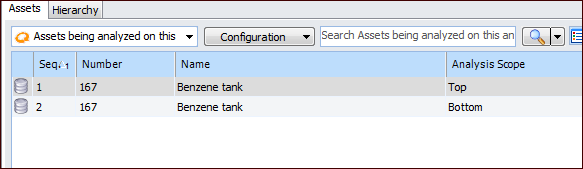
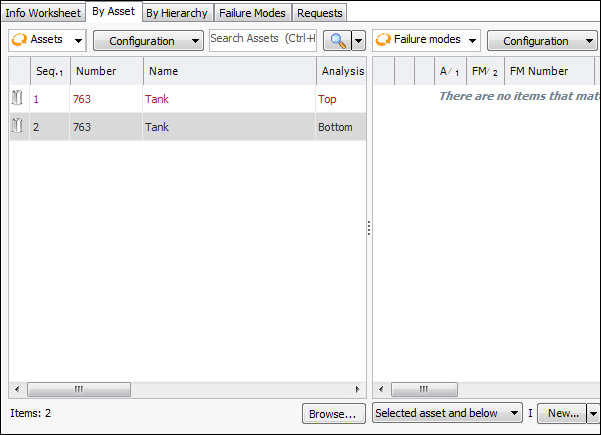
In some cases, assets are large enough to warrant separate analyses for different sections. For example, when the top portion of a large vessel contains gas and the bottom holds liquid, separate analyses or action plans are needed to define and respond to different failure modes and effects. In this case, you can select the analysis option Allow the scope of the analysis to be defined by asset.For an analysis asset, you can provide a description of the analysis scope. The same asset can be added to the analysis as many times as required, each with a difference scope description. You can then create failure modes for each of the analysis assets from the Facilitation view, By Asset and By Hierarchy tabs.To Enable Asset Scope on an Analysis
To Add a Scope Description to an Analysis Asset
To Add an Analysis Asset
To Create a Failure Mode for a Scoped Asset
 is enabled.