
Revising Prioritization Analyses

After a prioritization analysis is completed, you might find it necessary to revise the information due to a change in operating conditions, an apparent error in the analysis, or a review of the results.
You can revise analysis results at any time. The act of revising will create a copy of the original analysis that is linked to the original analysis.
This topic explains how to create a revision and view the most recent revision from the original analysis.

To Revise a Prioritization Analysis

1.
From the Site window, select the Strategy Development view, Prioritization tab, and then open the analysis.
2.
From the Analysis menu, select Create and then Revision. The Asset Analysis window opens showing a copy of the original analysis with a new number.
3.
4.
On the General tab, select the Options tab and review the Analysis results apply to options and change them if necessary.
5.
Select Update previously analyzed assets’ priority.
6.
Click the Analysis menu and then Apply Analysis Results. This step updates the assets with the changes you just entered.
7.

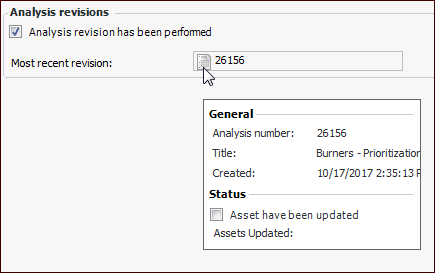
To View an Analysis’ Most Recent Revision
1.
Open the original analysis and select the Properties view, General tab.
2.
Select the Revisions tab to view the number of the revised analysis. For example:
3.