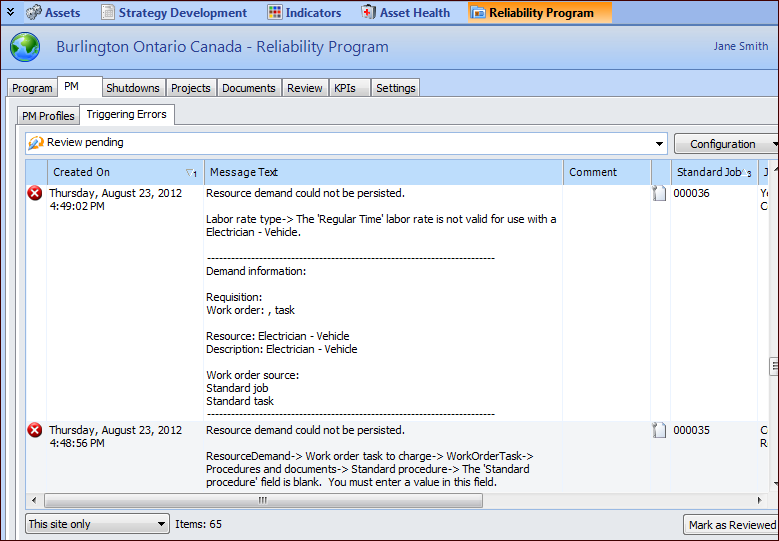
Reviewing PM Generation Errors

During the PM generation process, errors can occur that prevent work orders from being generated from standard jobs. APM provides administrative settings that allow you to record the errors, bookmark the standard jobs that failed when triggered, or both.
For information about setting options for recording and bookmarking triggering errors, see Setting up the Policy for Recording PM Generation Errors.
When the bookmark option is selected for the site, the employee designated as owner of these bookmarks can log on to APM and select the Bookmarks view to view the standard jobs that failed when triggered.

To Review Triggering Errors

1.
Select the site’s Reliability Program view.
2.
Select the PM tab and then the Triggering Errors tab. The Review pending configuration lists all triggering errors that have not been reviewed. For example:
Tip: Select the All errors configuration to view a list of errors and their review statuses.
3.
When you are finished reviewing an error, select it and click Mark as Reviewed. The error’s status changes to “Reviewed”.