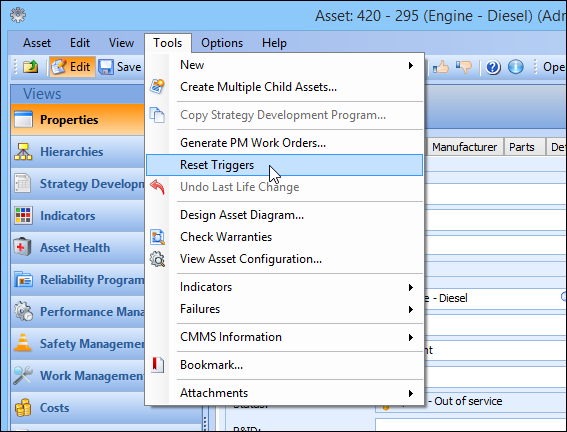
Concepts Tasks Settings Resetting Work Triggers on an Asset There are two types of counters for triggering work in APM: time-based and indicator-based. If necessary, you can reset these counters to zero for any asset. For example, a truck might have a standard job with a triggering rule that says “every three months.” If you reset the work triggers for the truck, APM starts its three-month countdown over. If an asset has indicators that are used in triggering rules, when you reset the work triggers, APM restarts the count for the indicators on that asset. The indicators on that asset can be used in triggering rules for standard jobs on that asset or on a different asset. For example, a truck might have a standard job with a triggering rule that says “every 3000 miles” on the engine’s odometer. If you reset the work triggers for the engine, APM resets the work trigger for the truck’s standard job, as well as for any of the engine’s standard jobs. Usually, you will reset the work triggers when you change the status of an asset or start a new life for an asset. However, you can reset the work triggers at any time, provided you have authorization to do so in the APM program. To Reset the Work Triggers for an Asset 1. Open the asset. 2. From the Tools menu, select Reset Triggers. 3. Click Yes in the confirmation dialog. APM resets the work trigger counters to zero. 4. Save and close the asset.