
Reviewing Supplier Selection Rules on a Resource

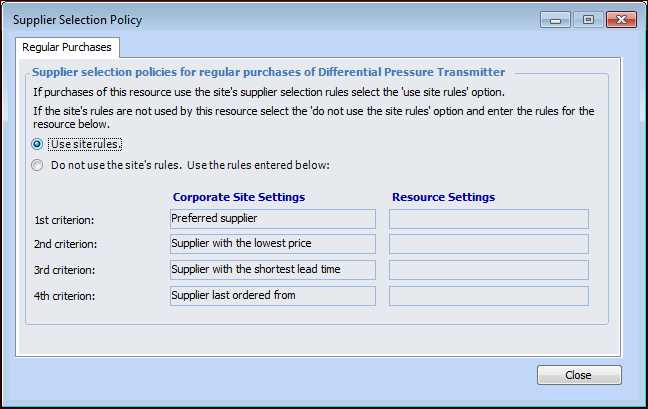
Any time that a purchase-type resource demand is created (on a work order or purchase order), the system selects a default supplier to fulfill the demand. You can specify the criteria that the system uses when selecting a supplier. The available criteria are:
Preferred Supplier: you can select which supplier is the preferred supplier for any resource. If there are multiple preferred suppliers for a resource at a site, the system selects the supplier with a current price that has the latest (most recent) effective date.
Price: the supplier with the lowest price is suggested.
Lead Time: the supplier with the shortest lead-time is suggested.
Order History: the supplier the resource was last ordered from is suggested.
Supplier selection rules are defined at the site, but they can be overridden on an individual resource. You can review the supplier selection rules that are being used on any resource.

To Review Supplier Selection Rules for a Resource
1.
Select the site’s Resource Management view.
2.
3.
On the Properties view, select the Procurement tab.
4.
In the Supplier Selection Rules area, click Details. The Supplier Selection Policy dialog appears.
5.