
|
Reviewing Where a Resource is Used
To View the Parts Lists that Contain the Resource
1. Select the site’s Resource Management view.
3. Select the Usage view.
4. Select the Parts Lists tab. This tab displays the asset parts lists that contain this resource. A configuration is also provided to display resource parts lists that contain the resource. For instructions on removing a resource, see Removing a Resource From All Parts Lists.To View Standard Tasks that Require the Resource
On the resource’s Usage view, select the Standard Tasks tab. This tab displays standard tasks on which the resource is a requirement.To View Assets that are Instances of the Resource
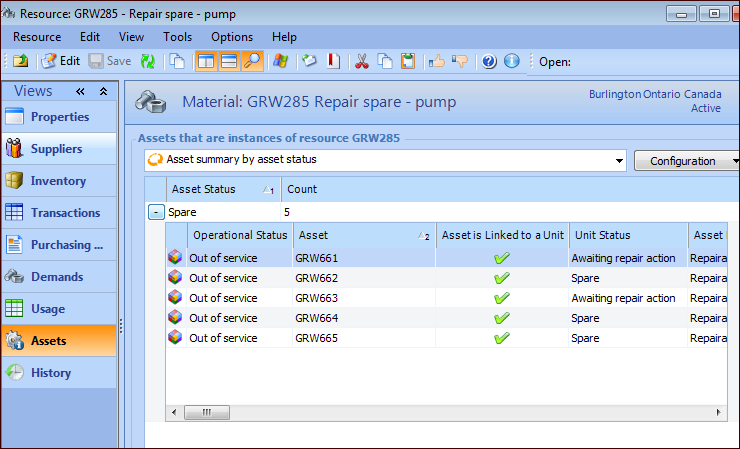
2. Select the Assets view. This view displays the asset summary by asset status. You can expand a status to view assets with that status.