Linking Manufacturers to a Resource

You can list the manufacturers of a resource and select the manufacturer that normally makes the resource for you. Manufacturers can be listed for material and tool type resources. They are not supported for trades or services.
When you link a manufacturer to a resource, you can also enter the manufacturer’s model name or number and the OEM number.
This topic explains how to link an existing manufacturer record to an existing resource. To create a new manufacturer record, see Creating Manufacturer Records.

To Link a Manufacturer to a Resource

1.
Select the site’s Resource Management view.
2.
3.
On the Properties view, select the General tab, and then the Manufacturers tab.
4.
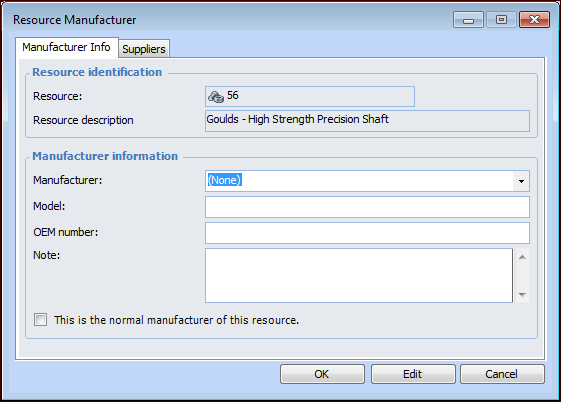
Click New. The Resource Manufacturer dialog appears.
5.
Select the Manufacturer from the list.
6.
Enter the manufacturer’s model number, OEM number, and any Notes as required.
7.
Click OK to save the manufacturer and close the dialog. The manufacturer is added to the list.
Note: If the manufacturer is also listed on a supplier resource for the item, the system displays the related supplier in the bottom table on the Manufacturers tab.
8.
9.