Adding Labor Rates To Trades

This section explains how to add a labor rate to an existing trade. Each trade can have multiple labor rates. Labor rates can be different at each site.
Labor rate types are defined in the currency of the sites where they are created. If a rate is retrieved from a higher site that uses a different currency, the rate is converted to the currency of the site where it is used.

To Add Labor Rates to a Trade

1.
Select the site’s Personnel view, Trades tab. By default, this tab shows a list of all of the trades available for the site and below.
2.
3.
Select the Properties view, Trade Details tab.
4.
5.
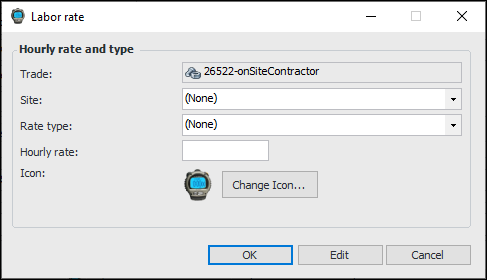
To add an hourly labor rate for the trade, select the Rates tab, and click New. The Labor Rate dialog appears.
6.
7.
Click OK. The new rate is added to the list.
8.
9.
10.