
Overriding the Invoice Price Tolerance Rules on a Resource or Trade

Default invoice price tolerance rules are set at the site level. However, you can override the site’s price tolerances for an individual resource or trade. This allows you to tailor the rules for each of your resources.

To Override Invoice Price Tolerance Rules for a Resource
1.
Select the site’s Resource Management view.
2.
3.
On the Properties view, select the Procurement tab.
4.
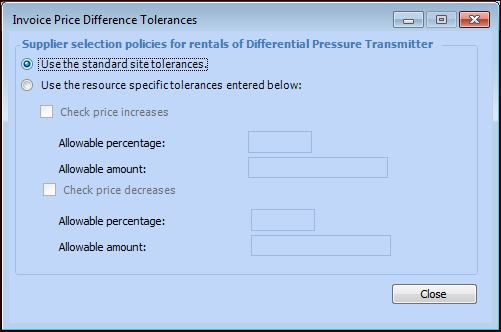
In the Invoice price tolerance policies area, click Details. The Invoice Price Difference Tolerances dialog appears.
5.
To override the site’s settings, select Use the resource specific tolerances entered below.
6.
7.
8.