|
Updating Pricing on a Purchase Order Line
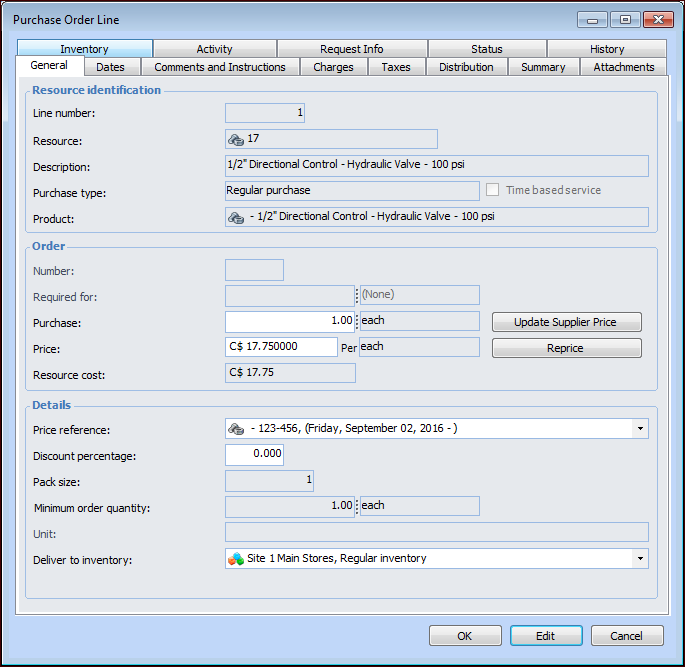
• Re-price Line – This action updates the line to use the current price on the supplier resource. If the line already refers to the current price, the price on the line will not change.
• Update supplier price – If you know that the listed price is not correct, you can enter the new price and then update the supplier resource with the new price. This will create a new supplier resource price, which may become the current price, depending on whether the new price is higher or lower than the previous price, and on the effective and expiry dates for the new price. If you enter a higher price than the previous price, the line will keep the new price, unless you use the Re-price Line action.To Update the Price on a Purchase Order Line
3. Select the General tab and the Lines tab. Double-click the purchase order line to open the Purchase Order Line dialog.
4. To update the line with the supplier resource’s current price, click Reprice on the General tab. A confirmation message appears. Click Yes. The system updates the line to the supplier’s current price for the resource.
5. To change the price and update the supplier resource with the new price, enter the new price in the Price box. Then, click Update Supplier Price. A confirmation message appears. Click Yes. The system creates a new price on the supplier resource.