
|
Changing Serialized Unit Statuses
To Change a Serialized Resource Unit's Status
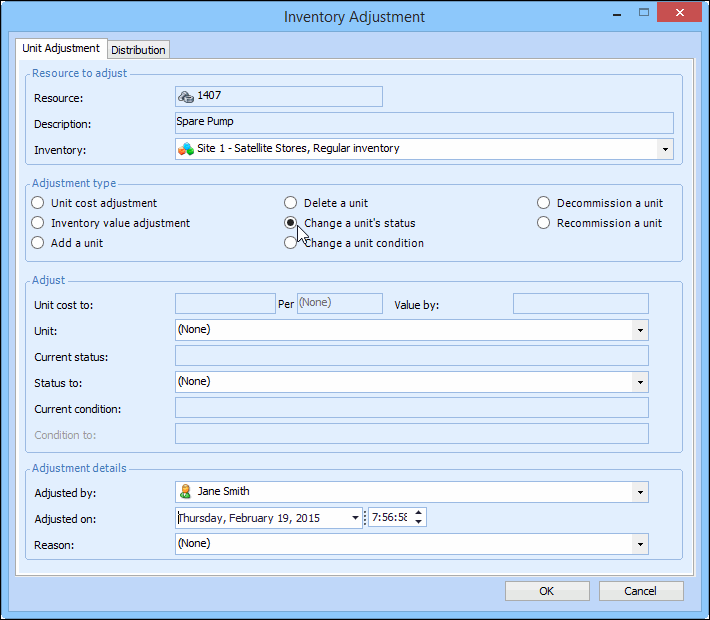
1.
2. Select the Warehouse tab and then select the warehouse in which the resource is stocked, in the table on the left side. The list of stocked resources is shown in the table on the right.
3. Right-click the resource for which you want to change the status, and select Adjust Item. The Inventory Adjustment dialog appears.
4. Identify the resource and warehouse. When you enter the part number for a serialized resource, the Change a Unit’s Status option is available. For example:
5.
7. Click OK to save your changes.