Activating Serialized Inventory Support for Resources

You can change a non-serialized inventory resource into serialized inventory. You must first activate serialized inventory support for the resource, and then you must convert the warehouse items to serialized units.

To Activate Serialized Inventory Support for a Resource

1.
From the Site window, select the Resource Management view and open the resource.
2.
3.
On the Properties view, General tab, select the Details tab. Make sure that the resource or tool is stocked in inventory. If this option is selected, the Inventory tab is available.
4.
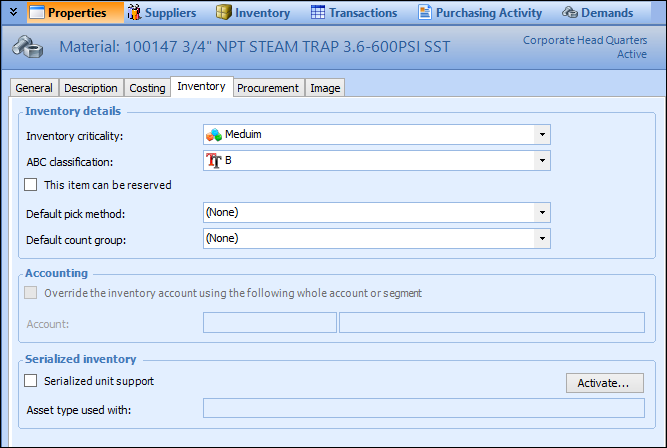
Select the Inventory tab.
5.
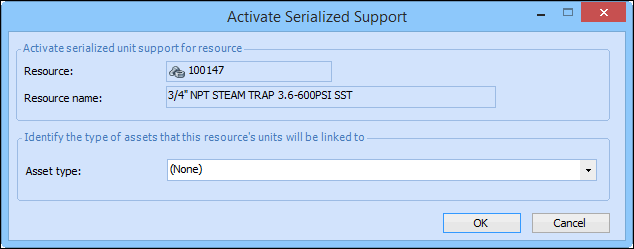
Click Activate. The Activate Serialized Support dialog appears.
6.
Select the Asset type to which the resource can be linked. Only asset types with the classification of component (for repairable spares) or maintainable (for tools) are listed. This includes any asset type that allows the classification to be changed. If the asset type that you want is not listed, you must review your site settings for asset types.
7.
Click OK. Serialized unit support is now active for the resource.
8.
9.