Setting the Default Holding Area Asset for Component Swaps

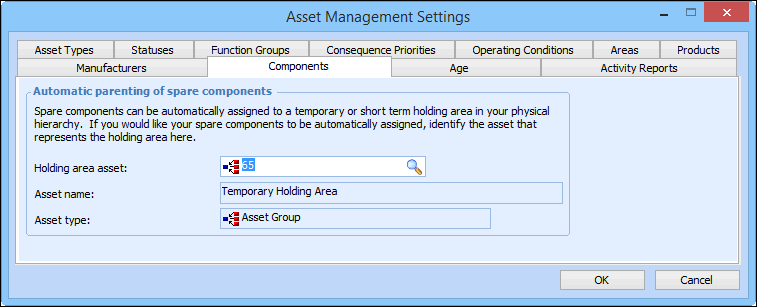
Spare components can be automatically assigned to a temporary holding area. You can specify the default parent asset group that will be used when a component asset is removed (uninstalled).

To Set the Default Holding Area Asset

1.
From the Site window, select the Assets view, Settings tab. Select the Assets tab and the Asset management settings node in the tree.
Tip: You can also select the Administration menu, Asset Management Settings, and then Asset Management. The Asset Management Settings dialog appears.
2.
Select the Components tab.
3.
4.
Click OK to save your settings and close the Asset Management Settings dialog.