Removing Serialized Inventory Support for a Resource

You can remove the serialized inventory tracking for a resource at any time. Removing serialized unit tracking for the resource does not actually delete the resource's units. The units are retained for historical reference on any resource transactions that referred to a unit. However, the historical units cannot be reactivated. If you decide to change the resource back to a serialized resource, a new set of units must be created.

To Remove Serialized Inventory Support for a Resource

1.
From the site’s Resource Management view, select the appropriate Catalog tab.
2.
3.
4.
Select the Inventory view, and then the Units tab.
5.
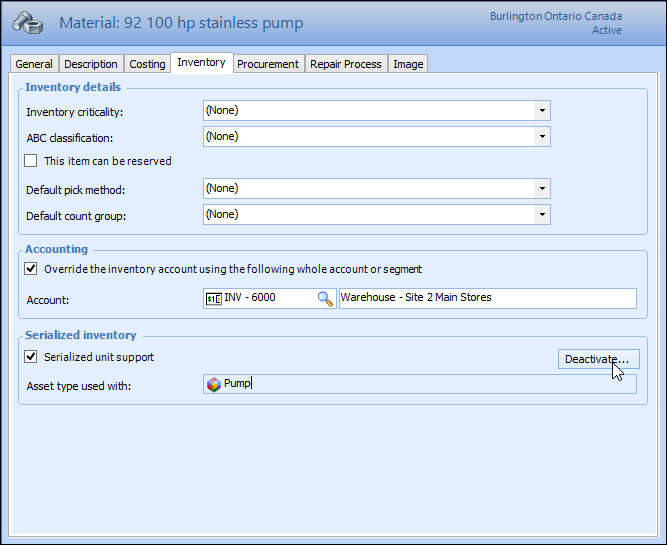
Click Deactivate. For example:
Tip: You can also select the Inventory view, Units tab, and then click Deactivate.
6.
APM asks you to confirm that you want to remove serialized inventory support. Click Yes. Serialized unit tracking is removed for the resource.
7.