
Receiving Transferred Serialized Units That Are Not Linked to Assets

When transferred serialized component assets are received at their new site, the system creates a transfer receipt-type resource transaction for each of the units. The status of the transferred units is changed from “In-transit” to “Spare.”
To receive serialized component assets, please see Receiving Assets.
If you are transferring serialized units that are not linked to assets, you must create a transfer receipt for each unit. This topic explains how to receive an unlinked unit.

To Receive a Transferred Serialized Unit
1.
Select the site's Warehouse Inventory view.
2.
In the Resources by Warehouse tab, right-click on the warehouse that you want to receive materials or tools. Select Open as, and then Transactions. APM opens the warehouse and displays the Issues tab on the Transactions view.
3.
Select the Transfers to tab. This tab shows a list of all of the materials received for the warehouse. If any of the transfers have not been received, you can post receipt transactions for them now.
4.
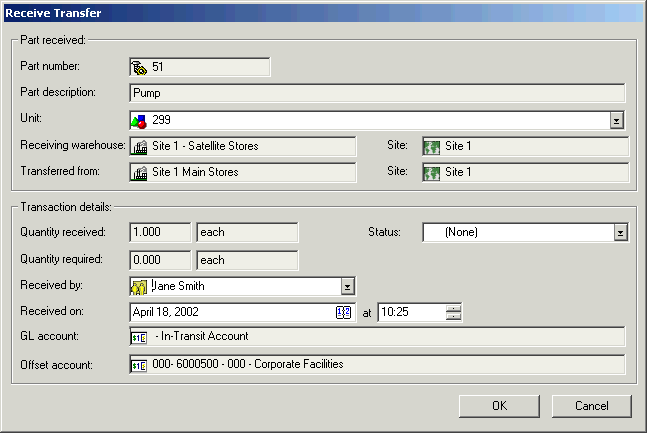
Right-click on the item you want to receive and select Receive Transfer. The Receive Transfer dialog appears.
5.
6.
If necessary, change Received by to the employee who receives the item.
7.
Select the new Status for the unit.
8.
Click OK to post the receive transaction and close the Receive Transfer dialog.