
Adding a Purchase Requirement for Off-site Repair to a Repair Work Order

You can plan off-site repair requirements on a work order. When you create a requirement for an off-site repair, you must specify the resource unit, and the supplier resource must be set up for repair orders.
If you are planning a repair work order that was created by the system, or if you created the work order using the Move to Repair Shop method, this requirement may already exist on the work order.
For more information about creating a supplier resource for repairs, please see Creating a Supplier Resource for Repairs.

To Create a Work Order Requirement for an Off-site Repair
1.
On the open work order task, select the Planning tab, and then the All Requirements tab.
Tip: You can also select the work order task’s Planning tab, then the Materials tab, and click New.
2.
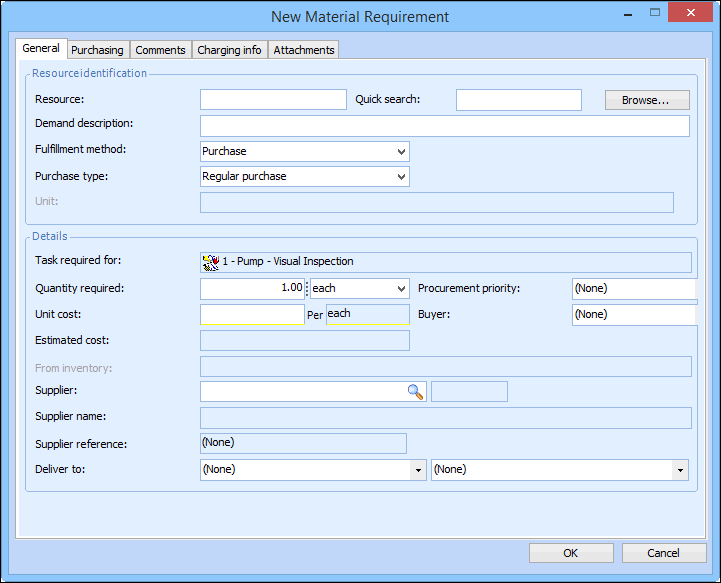
From the New list, select Material Requirement. The New Requirement dialog appears.
3.
Enter the resource number or click Browse Catalog to select the resource from the list.
4.
5.
Click OK to save and close the New Material Requirement dialog. The requirement appears in the list of Material, labor, tool, and service requirements for the work order.