
Viewing Serialized Unit Information From an Asset

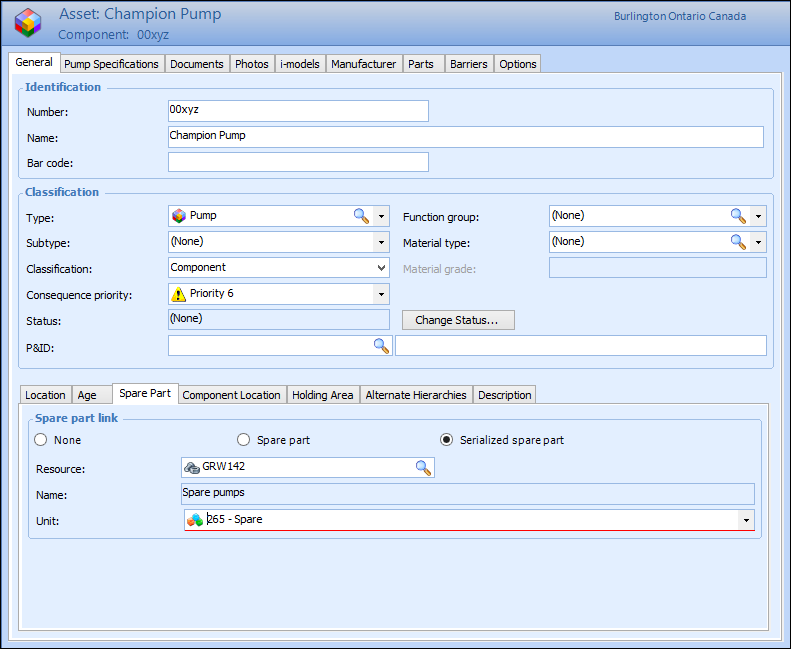
If a component asset is linked to a serialized resource, you can view the resource and the unit number from the asset.

To View Serialized Resource Unit Information for an Asset
1.
Tip: If the asset is installed in a location, you can open the asset by double-clicking on the location in the hierarchy. If the asset is inventory (i.e. is not installed), it will usually be under the temporary holding area asset for the site.
2.
On the Properties view, select the General tab, and then th Spare Part tab.This tab displays information about the resource unit for this asset. For example:
Tip: To view more information about the unit, double-click the icon in the Unit box.
3.
When you are finished, Save and Close the Asset window.