
|
Returning Repaired Serialized Units for Inspection
To Return a Repaired Unit for Inspection
1.
2. On the Warehouses tab, select the warehouse in which the resource is stocked. The list of stocked resources is shown in the table on the right.
4. Select the Units tab. This tab shows a list of all of the units of this serialized resource.
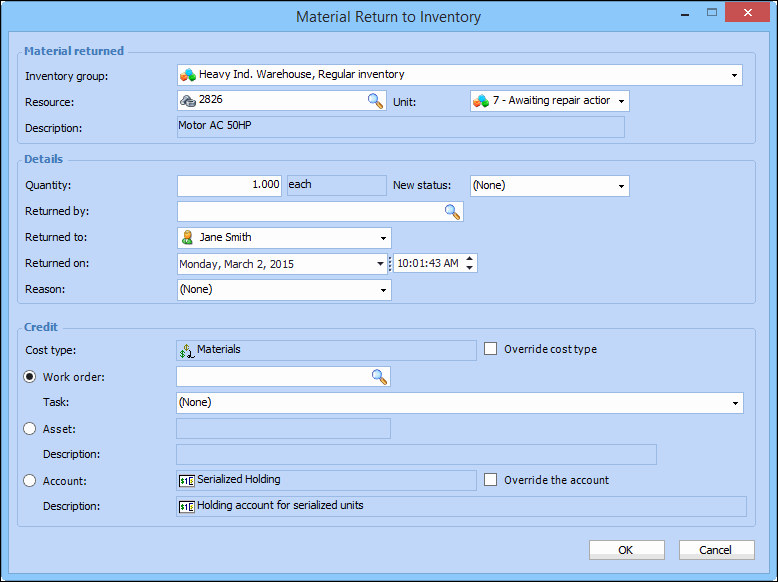
6. Right-click the unit and select Return to Inventory. The Material Return to Inventory dialog appears. For example:
9. Click OK to save your changes and close the dialog. APM posts the new transaction and makes the appropriate inventory adjustments in the warehouse.