Closing and Reopening Mobile Computing Activities

You can close and reopen any mobile computing activity as long as the object from which it was created can still be assigned to a mobile device. For example, for a count sheet activity, the original count sheet must have the status “Prepared”. For a checksheet activity created from a work order task, for example, the original checksheet must be “Unprocessed”.

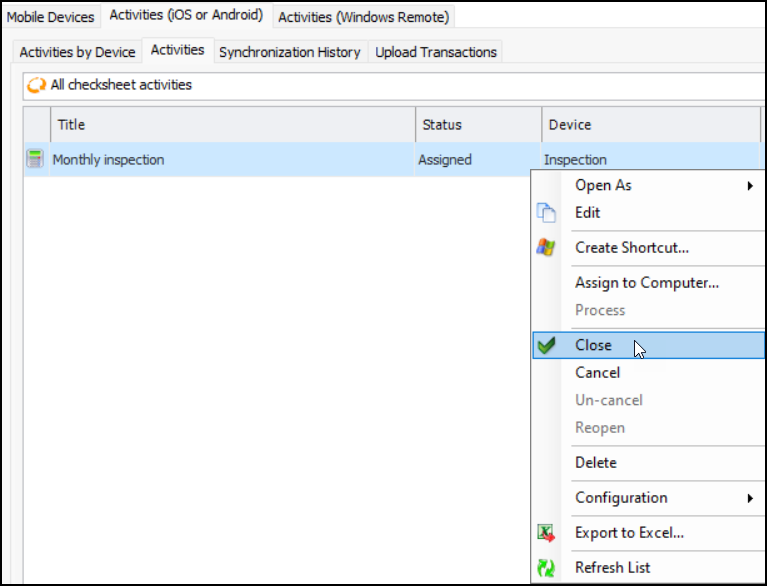
To Close a Mobile Computing Activity

1.
Select the site’s Mobile Computing view and the Activities (iOS or Android) tab.
2.
3.
A conformation message appears asking if you wish to continue. Click Yes. The activity’s status changes to “Closed”.

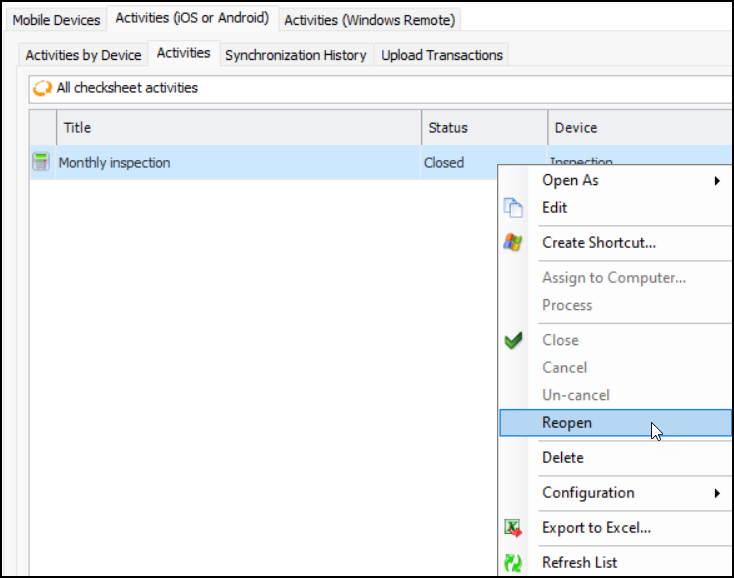
To Reopen a Mobile Computing Activity
1.
Select the site’s Mobile Computing view and the Activities (iOS or Android) tab.
2.
3.
4.
The status of the activity returns to “Assigned” (if a mobile computer was previously assigned to the activity).