Designating Readings as Regulatory

If you conclude that the inspections analyzed in the report meet the requirements of the governing body, you can update the processed readings on the checksheets as regulatory inspections. Three requirements make this possible:
1.
2.
3.

To Designate Readings as a Regulatory

1.
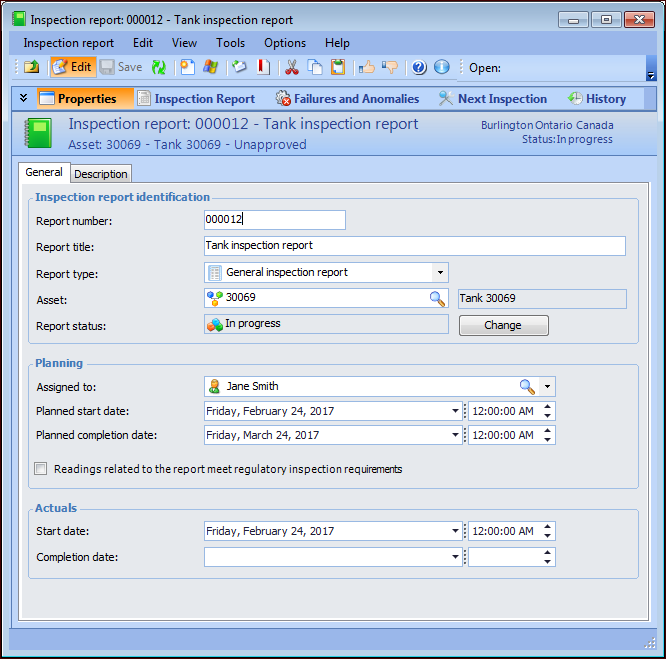
In the Inspection Report window, select the Properties view and the General tab.
2.
3.
Select Readings related to the report meet regulatory inspection requirements.
4.
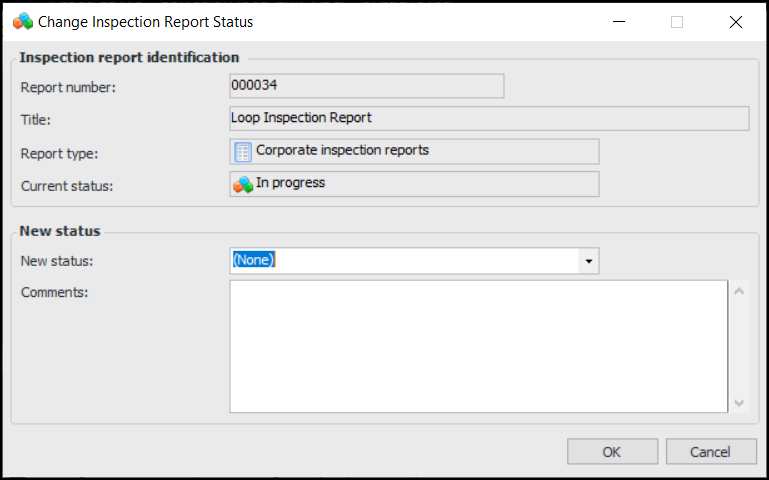
Click Change. The Change Inspection Report Status dialog appears. For example:
5.
In the New status list, select a report status that updates indicator readings as regulatory.
6.
Enter a comment, if appropriate, and click OK. Each of the processed indicator readings in the report are updated.