|
Receiving a Single Purchase Order Line
This topic explains how to create a receipt transaction for one purchase order line. It may be more efficient to receive multiple purchase order lines using a receiving report. Please see Receiving Purchase Orders and Blanket Releases.To Receive a Purchase Order Line
1.
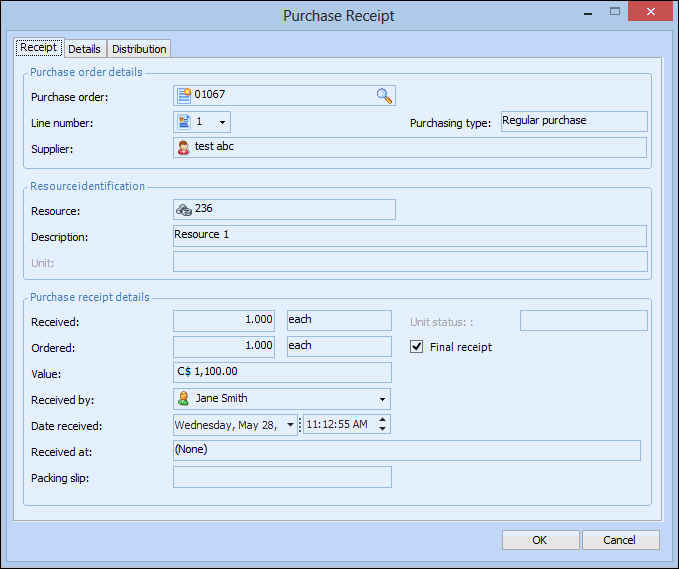
2. Open the purchase order that you want to receive, and then select the General tab. Right-click the line you are receiving and select Receive. The Purchase Receipt dialog appears, open to the Receipt tab.
3. Enter the Quantity received, check whether or not this is the Final receipt, and select the employee who received the items and the date.
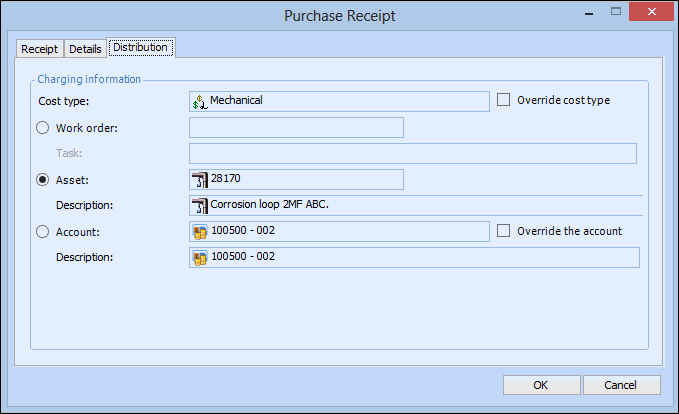
4. Select the Distribution tab.
6. Click OK to save and post the transaction.